Training and Applying a Model Through SAFL (train and predict Commands)
Use the train and predict commands to train and apply a model from the SAFL query language. If the sme.ml.* cluster settings are configured, the commands send requests to sm-ml-service: train invokes the /fit operation, and predict invokes /apply.
Before running the commands, configure the Search Anywhere Framework cluster settings in _cluster/settings:
sme.ml.enabled      = true
sme.ml.service_url  = https://<sm-ml-service-host>/
sme.ml.service_port = 30000
sme.ml.timeout      = 300000
sme.ml.user         = sm_ml_user
Save the password for the sme.ml.user user in the sm.core.ml.password parameter in the Search Anywhere Framework keystore. For configuration instructions, see SM-ML Settings.
If the sme.ml.* settings are not configured, the train and predict commands run in embedded mode. Before running the examples, register and deploy the tutorial-demo algorithm in the sm-ml-service instance specified in the sme.ml.* settings.
Training with the train Command
Open the Search page (/app/general/search), and run the following query. The pipeline creates a training dataset with the x and y columns and passes it to the train command:
| makeresults count=6
| streamstats count as i
| eval x = tonumber(i)
| eval y = tonumber(i) * 2 + 1
| table x, y
| train "tutorial-demo" model_id="tutorial-demo-sml" fields="x,y"
model_id- model name passed in the SM-MLmodel_namefieldfields- pipeline fields included in the CSV training dataset- all parameters other than
model_id,fields, andoverwriteare passed to the algorithm'sparamsfield
After training is complete, one row is returned with status=succeeded, trained_rows=6, and model_id=tutorial-demo-sml.
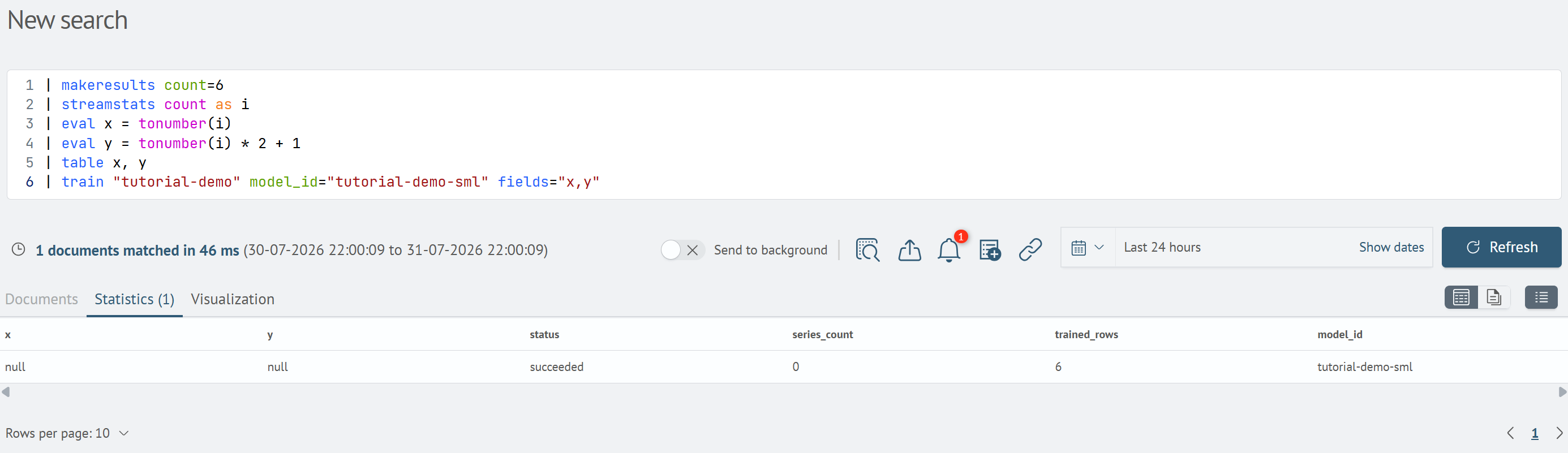
As with API-based training, the trained model is displayed on the Models screen with the Ready status.
Applying a Model with the predict Command
Run the following query. The pipeline creates input rows with the x column and applies the model specified in model_id:
| makeresults count=3
| streamstats count as i
| eval x = tonumber(i) * 10
| table x
| predict "tutorial-demo" model_id="tutorial-demo-sml" fields="x"
The result contains predictions in the prediction column. In this example, the model identified the y = 2·x + 1 relationship:
| x | prediction | status |
|---|---|---|
| 10 | 21.0… | succeeded |
| 20 | 41.0… | succeeded |
| 30 | 61.0… | succeeded |
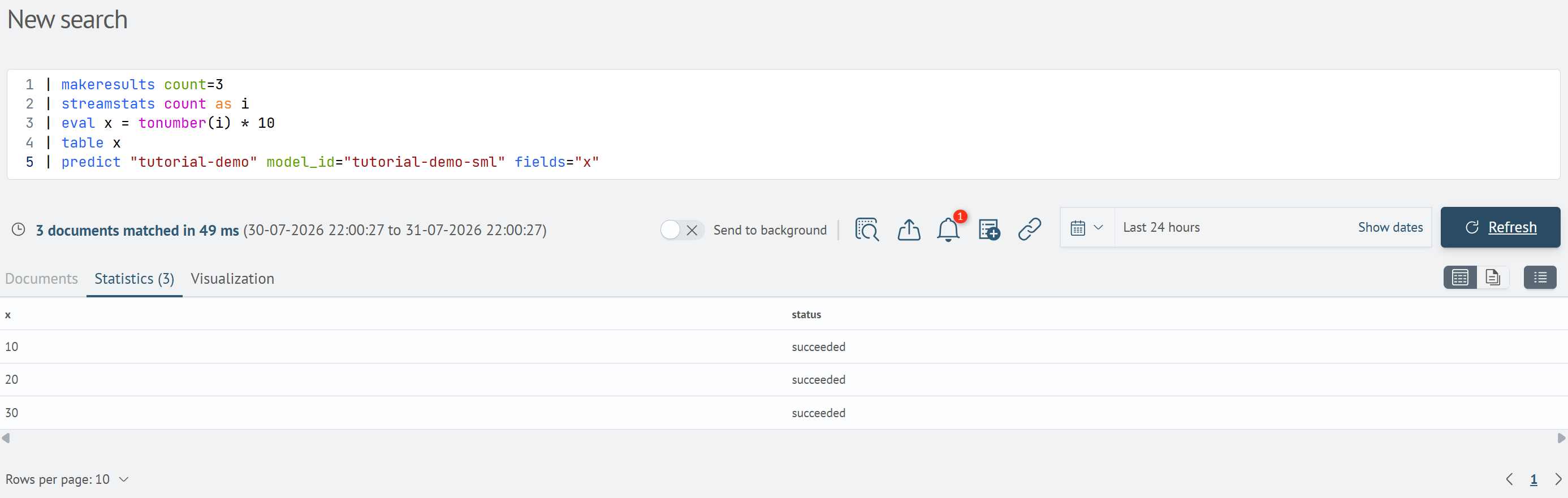
In the predict command, specify the same model_id value used in the train command. sm-ml-service searches for a ready model by name.