Main Entities
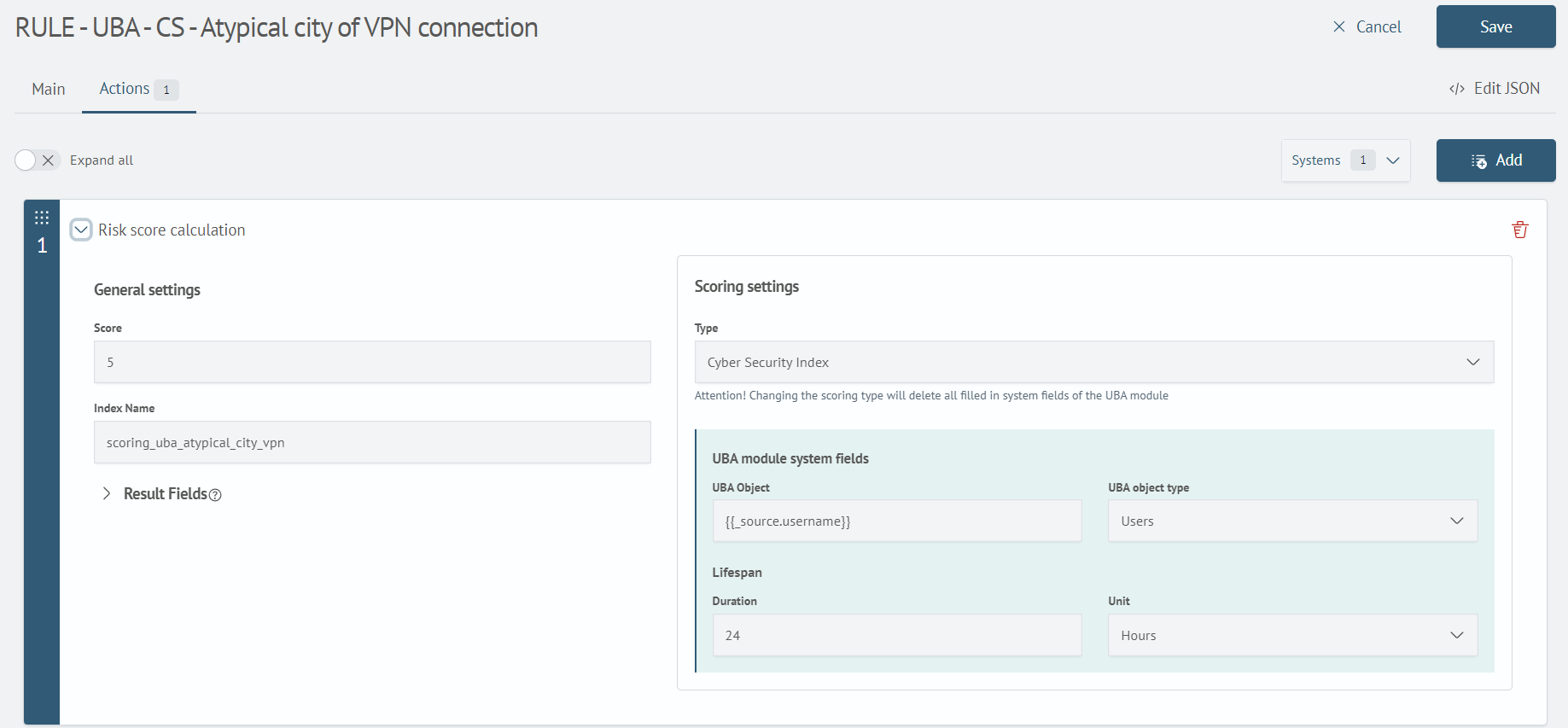
The main entity that the module operates with is the object. To define the parameters of the object, its type is configured. Scoring types compatible with UBA allow generating score accruals for the object.
UBA Objects
An object is a set of characteristics defined according to how the behavior of this object will be analyzed in the future.
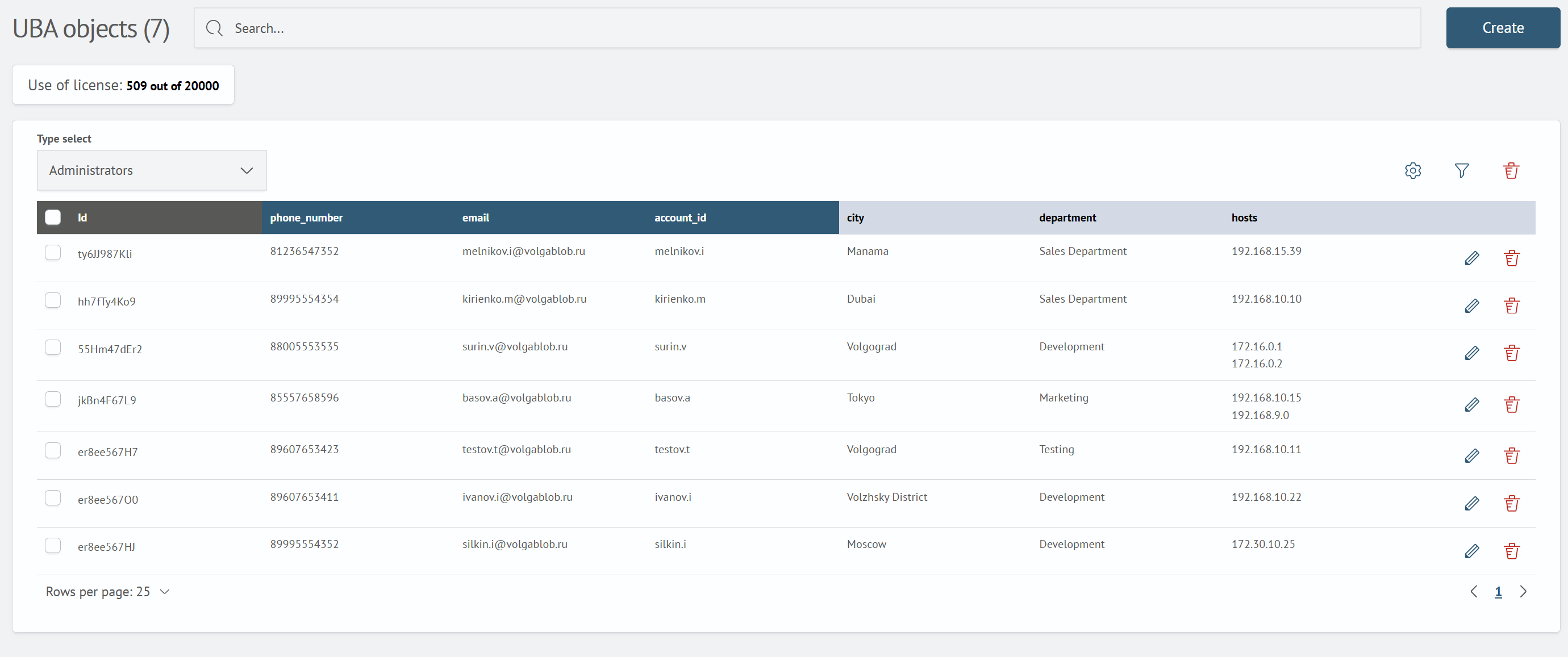
An object contains basic and additional fields. These are configured by the object type.
To add a new object type or configure an existing one, navigate to Main Menu - Settings - Management - General - UBA - Object Types.
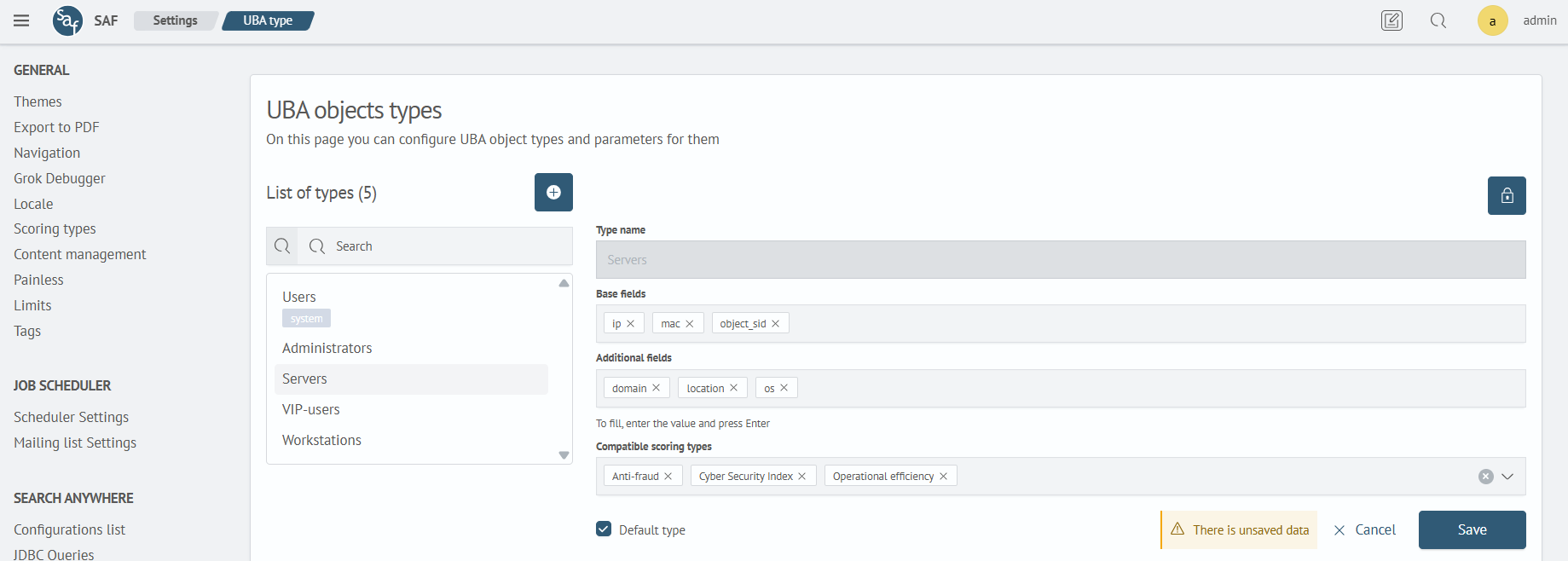
Base Fields
Each base field and its value must independently identify an entity within the selected type. If two entities have the same value in any base field, UBA treats them as duplicates.
You can use a GUID, account name, email address, or another stable unique identifier as a base field. When building an entity profile, UBA matches base field values with fields from source events.
Additional Fields
Additional fields serve as reference information about the object. They can be used to enrich the incident card, visualizations on dashboards, etc.
Scoring Types
Scoring types support compatibility with the UBA module.
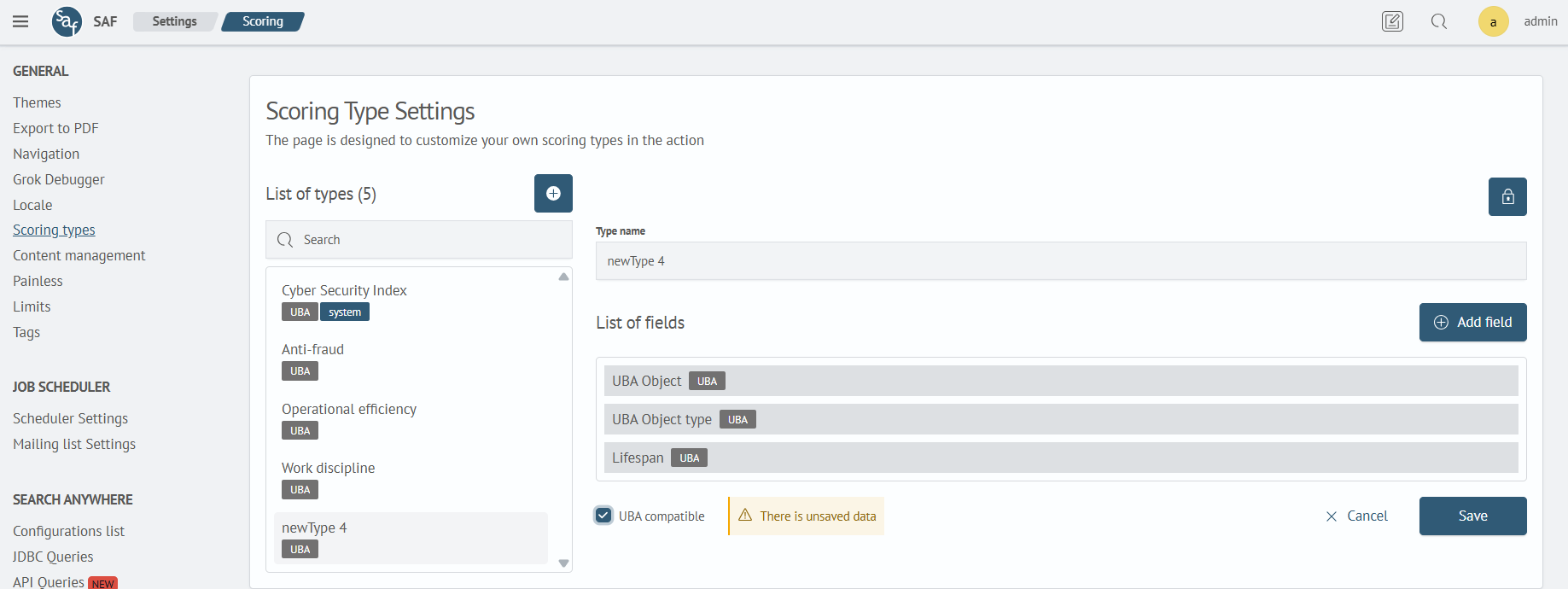
The Type Name field is not available for editing.
When compatibility is enabled, three fields are added to the scoring type:
- UBA Object – used to identify the object
- UBA object type – indicates the type to which the object belongs
- Lifespan – used to set the time during which the score is active
- Drilldown – configures the drilldown type for transitioning from the UBA object score history, containing the following list of values:
None- no drilldownSearch- search query with the ability to specify a time boundary for drilldownLink- drilldown by link
By selecting such a scoring type in the job scheduler, you will be prompted to fill in these fields: