Imperative Rules
An imperative rule describes an event sequence. The rule fires when events from the same group pass through every stage in the chain in the specified order.
Correlation
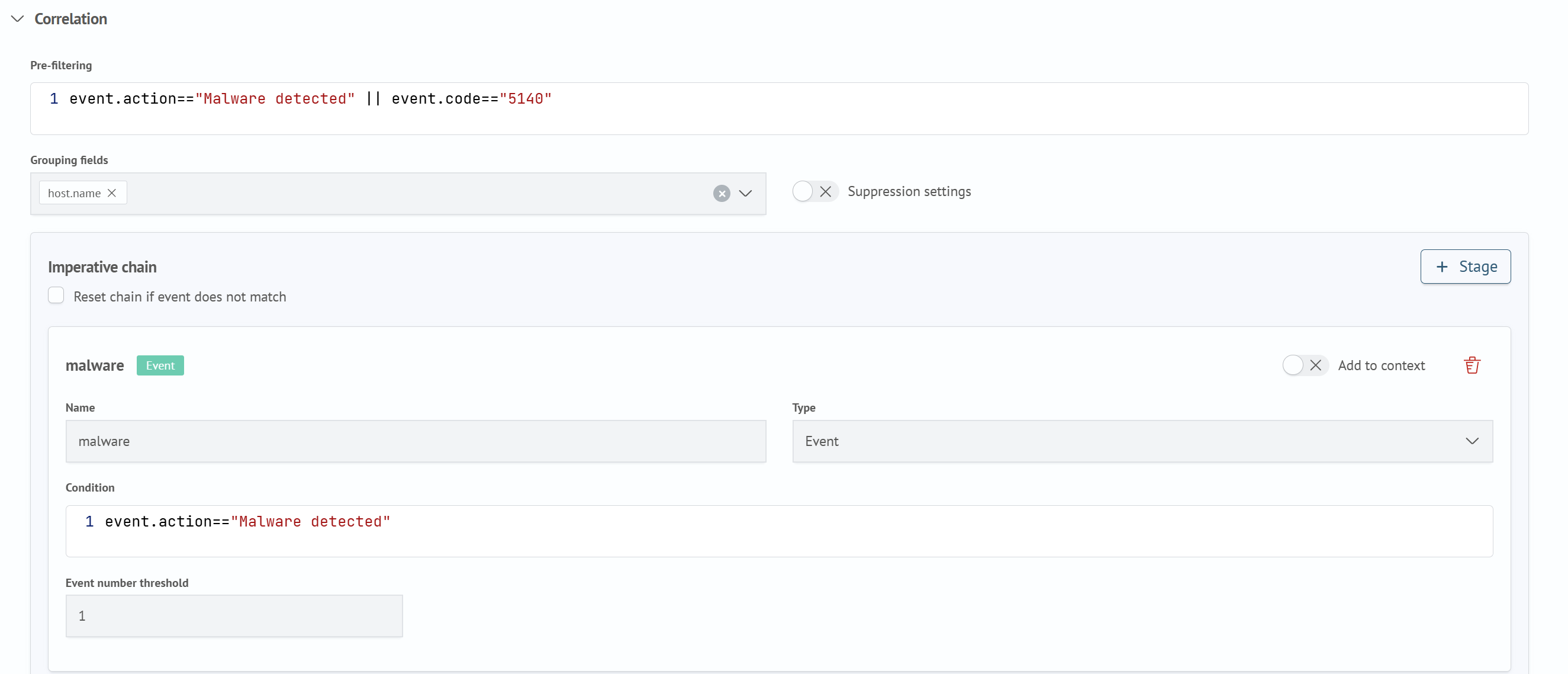
On the Correlation tab, configure conditions that apply to the entire chain:
- In
Pre-filter, enter an expression in the SAFL (RTC) dialect to broadly select events eligible for evaluation by the chain. Exact conditions for each step are configured separately in the stages - Select
Grouping Fields. The chain is tracked separately for each combination of these field values - If necessary, enable
Suppression Settings, and complete theDurationandUnitfields in theSuppressionsection that appears, as for a declarative rule. See Declarative Rules
Imperative Chain
Build the stage sequence in Imperative Chain:
- Click
Stageto add the next stage to the chain. Stages run strictly in the order in which they were added, and each stage type is shown as a label in its heading - If necessary, select
Reset Chain on Event Mismatch. If the next event in the group does not match the condition of the current stage, the chain is reset and starts again from the first stage - Configure each stage. The available fields depend on the selected
Typeand are described in the next two sections
Event Stage
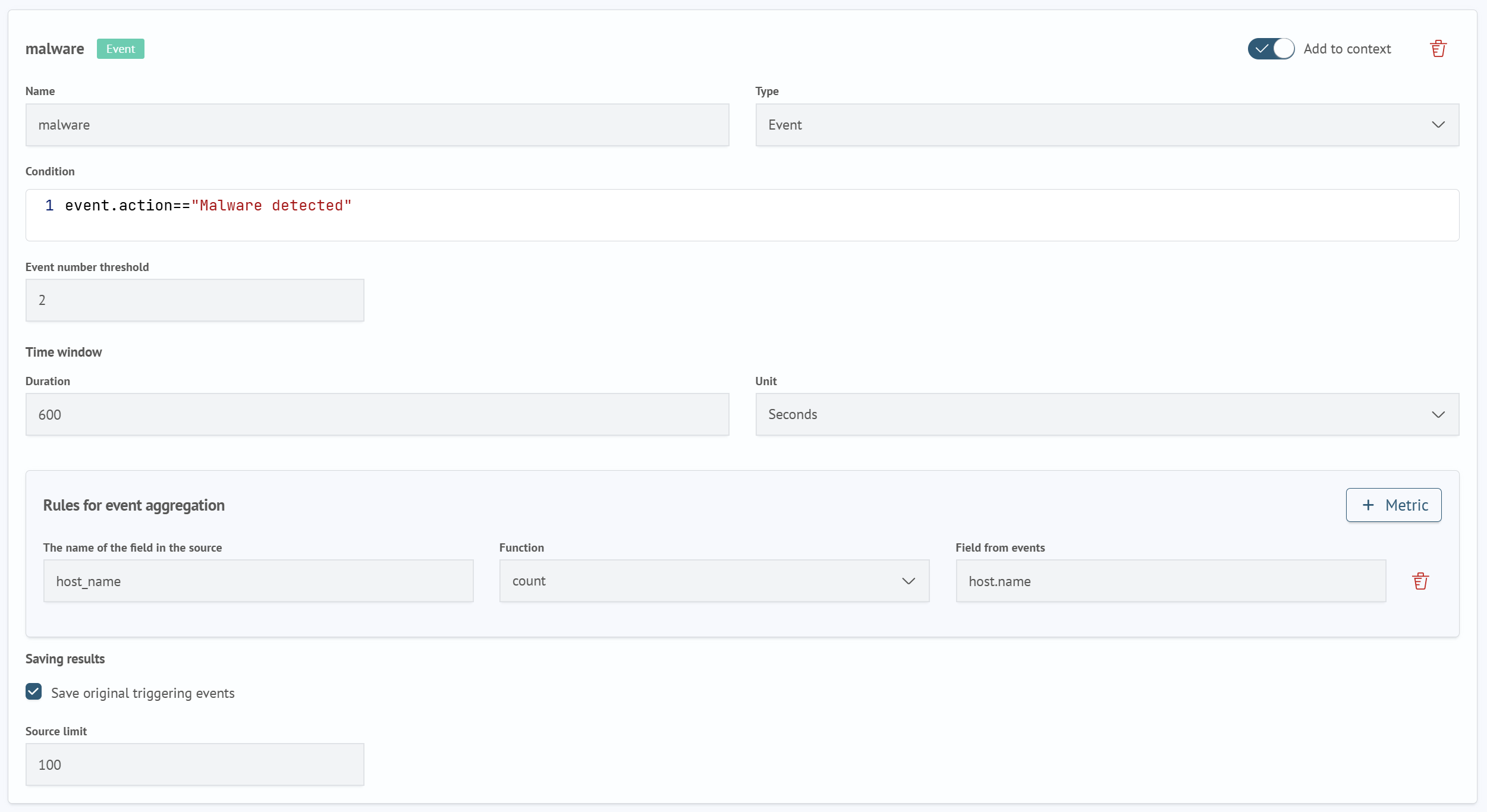
An Event stage waits until the specified number of matching events has accumulated. To configure it:
- Enter a
Name. Subsequent stages use this name to access the stage fields through thectx()function. See Accessing Context - In
Type, selectEvent - In
Condition, enter an expression in the SAFL (RTC) dialect that an event must match to be counted by the stage - Set
Event Count Thresholdto the number of matching events required to complete the stage - Set the
Time Windowusing theDurationandUnitfields. This is the interval during which the threshold events must accumulate - If
Event Count Thresholdis greater than one, completeEvent Aggregation Ruleswith metrics containingSource Field Name,Function, andEvent Field. These metrics work in the same way as declarative rule firing format metrics. See Declarative Rules - If necessary, select
Save Source EventsinResult Storage, and specify theSource Event Limit - If necessary, enable
Add to Context. The fields of the event counted by the stage then become available to subsequent stage conditions through thectx()function
Absence Stage
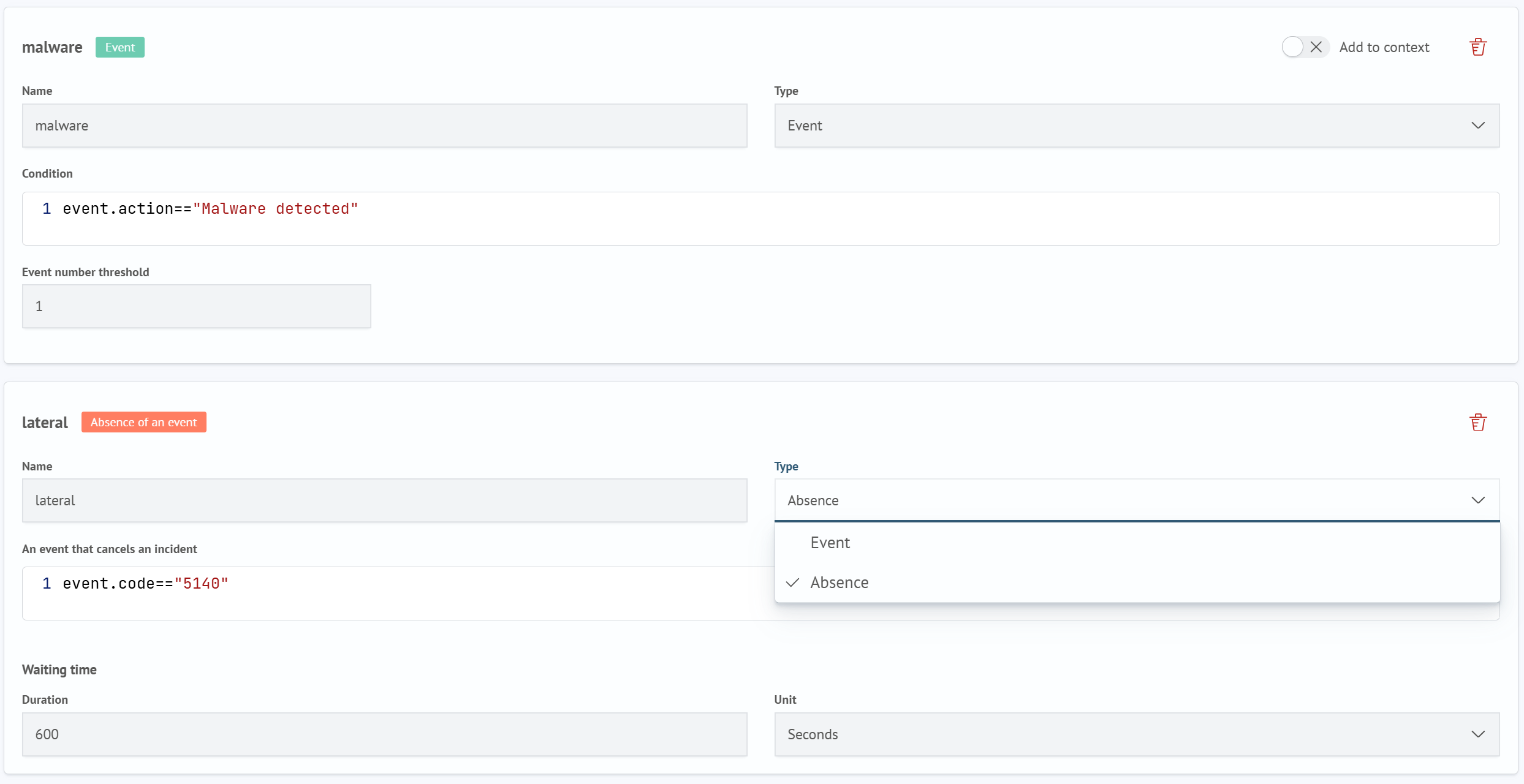
An Absence stage verifies that an expected event does not occur within the specified time. It has no threshold, metrics, or source event storage. To configure it:
- Enter a
Name - In
Type, selectAbsence - In
Event That Cancels the Incident, enter the canceling event condition in the SAFL (RTC) dialect - Set the
Wait Timeusing theDurationandUnitfields
The stage completes if the canceling event does not arrive during the Wait Time. If it arrives in time, further progress along this branch of the chain stops.
Accessing Context
The ctx(stage, field) function returns the value of a field saved by the stage whose Name is specified. The function works only for stages with Add to Context enabled. Fields from other stages cannot be accessed through ctx().