Zabbix Integration with Search Anywhere Framework
Table of Contents
Zabbix Module
The Zabbix module uses data from monitoring servers to build dashboards, inventory, and analyze incidents. Integration requires configuring the SA Data Collector and adding a Zabbix API token.
The SA Data Collector is based on Logstash, which may be used as an alternative name in the text.
Prerequisites
Before starting the configuration, ensure the following conditions are met:
SA Data Collectoris installed in the standard path:
/app/logstash/
- Configuration files (hereafter referred to as pipelines) are placed in the path:
/app/logstash/config/conf.d
- Python 3 is used for auxiliary scripts:
/app/logstash/utils/python/bin/
If non-standard installation paths are used, check all pipelines and make adjustments if necessary.
Configuring the Zabbix API Token
Obtain an API token from the operational Zabbix server via the web interface:
- navigate to
Main menu-Users-API tokens
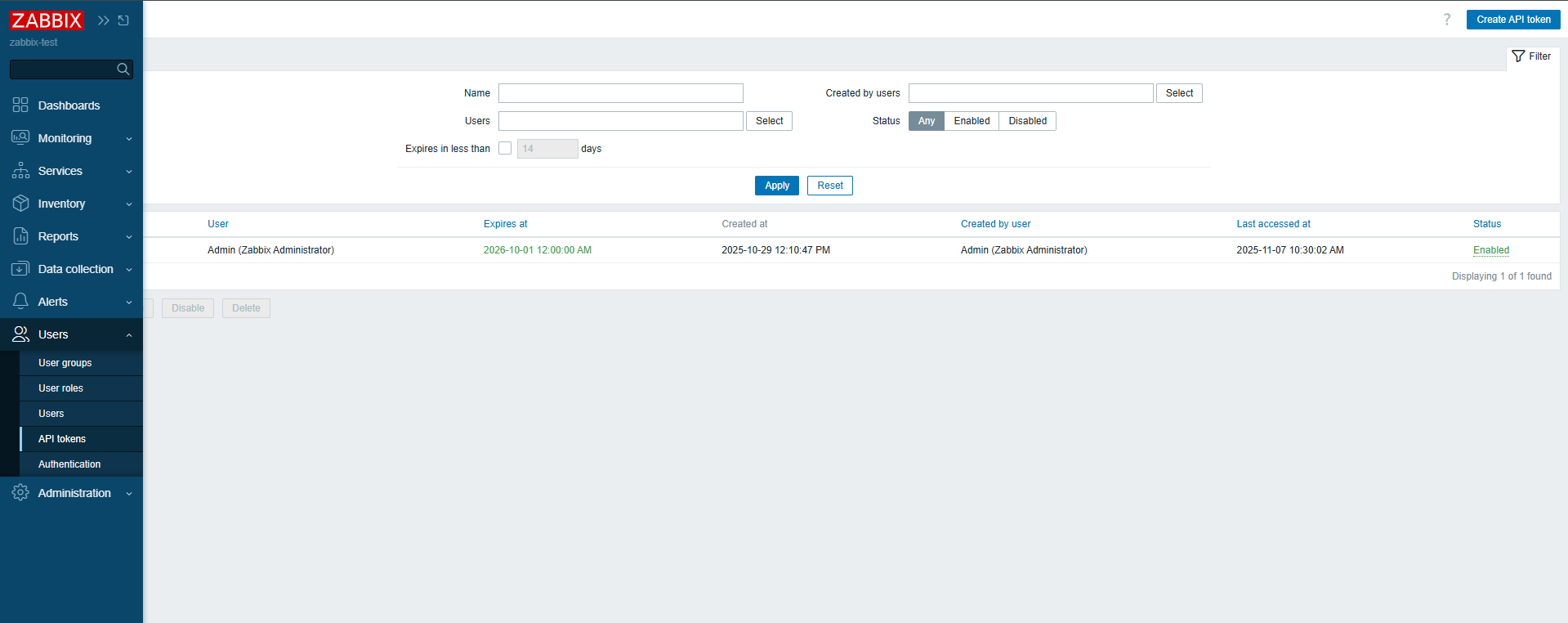
- click
Create API tokenin the top right corner - specify the token name,
Zabbixuser, and the token expiration date and time
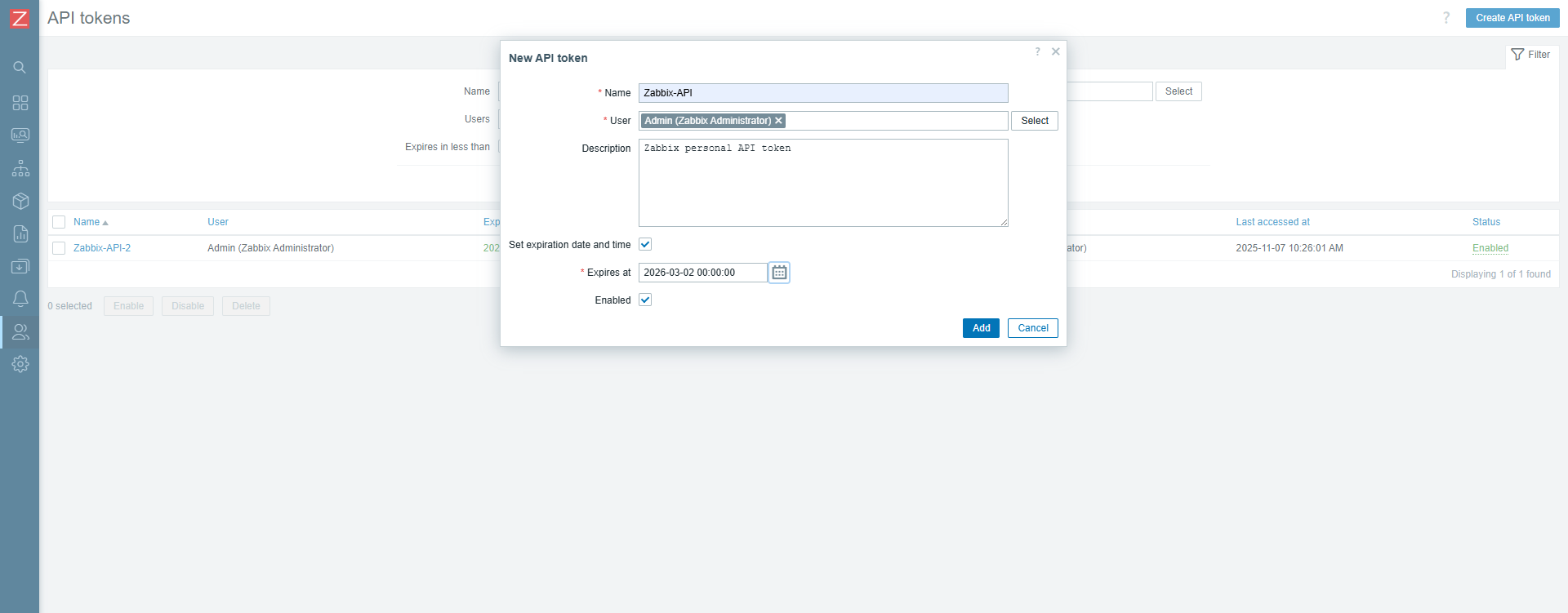
- click
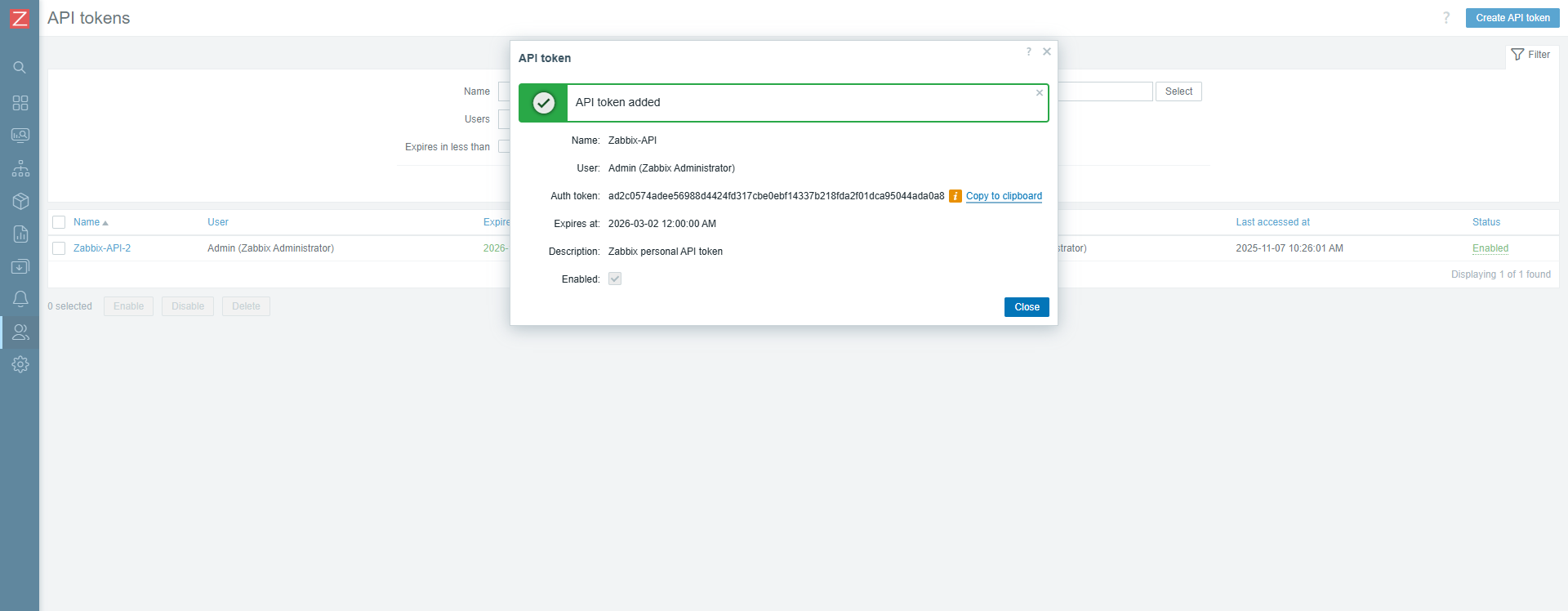
Addthen copy theAuth tokenand save it in a secure location
Configuring the SA Data Collector Node
For the Zabbix pipeline to function, parameters stored in the keystore on the SA Data Collector.
Adding Parameters to the Keystore
The following must be added to the keystore:
ZABBIX_API_TOKEN— API token for interacting withZabbixES_PWD— password for thelogstashuser
To add them to the keystore, execute:
sudo -u logstash /app/logstash/bin/logstash-keystore add ZABBIX_API_TOKEN
sudo -u logstash /app/logstash/bin/logstash-keystore add ES_PWD
Check the presence of parameters in the keystore using the command:
sudo -u logstash /app/logstash/bin/logstash-keystore list
Example command execution result:
user@RAM-debian12:~$ sudo -u logstash /app/logstash/bin/logstash-keystore list

es_pwd
zabbix_api_token
Placing the Zabbix Pipeline
The contents of the Zabbix module pipeline directory must be placed at the following path:
/app/logstash/config/conf.d
Pipeline connection is configured in the file:
/app/logstash/config/pipelines.yml
Add the following lines to it:
### Zabbix

- pipeline.id: zabbix-events
  path.config: "/app/logstash/config/conf.d/zabbix-events.conf"

- pipeline.id: zabbix-items
  path.config: "/app/logstash/config/conf.d/zabbix-items.conf"

- pipeline.id: zabbix-hosts
  path.config: "/app/logstash/config/conf.d/zabbix-hosts.conf"

- pipeline.id: zabbix-triggers
  path.config: "/app/logstash/config/conf.d/zabbix-triggers.conf"

- pipeline.id: zabbix-groups
  path.config: "/app/logstash/config/conf.d/zabbix-groups.conf"
Configuring the Zabbix Pipeline
To configure the Zabbix module, specify values for two pipeline parameters:
<ZABBIX_SERVER_IP>— the IP address of theZabbixserver from which data is collected<OPENSEARCH_HOSTS>— the address of theSA Data Storagenode or cluster where the collected data will be sent
Do not restart the Logstash service at this stage. For correct integration, first install the zabbix_ko_maker utility, which creates all necessary Search Anywhere Framework entities. The service will be restarted after the utility is installed. For details, see the corresponding section Zabbix: Installation and Configuration Setup.
At this point, the configuration of the SA Data Collector node can be considered.