Utility Installation
Table of Contents
General Description
The ai_observability_ko_maker utility is used to deploy AI Observability module objects.
It installs:
- the
gen_ai_events_normalize_v1,gen_ai_metrics_normalize_v1,gen_ai_traces_normalize_v1, andgen_ai_gpu_metrics_normalize_v1ingest pipelines - index templates
gen_ai_traces*,gen_ai_events*,gen_ai_metrics*,gen_ai_gpu_metrics*,gen_ai_cost* gen_ai_*-000001write indexes withgen_ai_*aliases used by data collection- index patterns for all
gen_ai_*indexes - the
ai_observability_defaultpreset for theaicommand - 9
claude_code_*lookups - AI Observability: GPU inventory asset
- 6 health metrics
Run the utility before importing the content module: its jobs and dashboards refer to templates, patterns, lookups, and the preset that the content module does not include. The index templates refer to ingest pipelines; without those pipelines, writes to gen_ai_* indexes are rejected.
The utility creates write indexes because importing the content module does not create aliases. Without a gen_ai_<name> alias, rollover under the retention policy does not work, and the index size is not limited by that policy.
The lookups are created without rows and then populated by content-module jobs, except for two lookups that those jobs do not populate:
claude_code_seat_pricing— the utility adds Team plan seat prices; an administrator adjusts them to match the contractclaude_code_members— an administrator maintains the organization's member list manually or by importing a CSV in the lookup editor (Lookup Manager)
Installation Sequence
Step 0. Utility Requirements
- Python 3.12 or later
- access to
Search Anywhere Frameworkcluster with administrator rights - network access simultaneously to frontend API (port
5601) and OpenSearch API (port9200)
Step 1. Installing Utility Dependencies
./bin/install_dependencies.sh
Step 2. Deploying Utility Objects
Pass the password through an environment variable and run the installation:
export SM_PASSWORD='<SMART_MONITOR_PASSWORD>'
./bin/make_ai_observability.py \
  --sm_host <SMART_MONITOR_HOST> \
  --sm_api_port <SMART_MONITOR_API_PORT> \
  --sm_cluster_port <OPENSEARCH_PORT> \
  --sm_user <SMART_MONITOR_USER>
| Parameter | Required | Default | Description |
|---|---|---|---|
--sm_host | Yes | — | IP address or hostname of Smart Monitor |
--sm_api_port | No | 5601 | Frontend API port (saved objects, presets, lookups, inventory, and Service Monitor Toolkit metrics) |
--sm_cluster_port | No | 9200 | OpenSearch API port (ingest pipelines, index templates, write indexes, retention-policy binding, and initial lookup rows) |
--sm_user | Yes | — | Username |
--sm_password | No | — | User password if SM_PASSWORD is not set; otherwise the utility prompts for it |
Additional parameters:
--skip-index-templates,--skip-index-patterns,--skip-inventory,--skip-rsm-metrics— skip the corresponding object type--dry-run— show what will be done without sending requests--show— display the state of installed objects without writing data--only <step>,--skip <step>— run only or skip the specified step; these flags can be repeated. The installation steps areingest_pipelines,index_templates,write_indices,index_patterns,ai_presets,lookups,inventory, andrsm_metrics, in that order. Each--skip-*option works like--skip <step>
--sm_api_port is used for the frontend API and saved objects, while --sm_cluster_port is used for ingest pipelines, index templates, write indexes, and initial lookup rows.
If frontend API and OpenSearch are published on different servers, you can explicitly specify --sm_api_host and --sm_cluster_host.
The write_indices step creates a gen_ai_<name>-000001 write index with a gen_ai_<name> alias if that alias is not already present. If version 6.1 data collection has already written to a regular gen_ai_<name> index, the utility leaves it unchanged, prints data-migration commands, and exits with code 3.
The module runs the ai command with the ai_observability_default preset and takes the model from it. If the model on your installation has a different name, change model in data/ai_presets/ai_observability_default.json before running the utility, or update the preset afterward.
On every run, the rsm_metrics step replaces the supplied health metrics in full, including their schedules, calculation windows, and permissions. If you changed the metrics in Service Monitor Toolkit, rerun the utility with --skip rsm_metrics or reapply those changes afterward.
Step 3. Checking Utility Object Loading
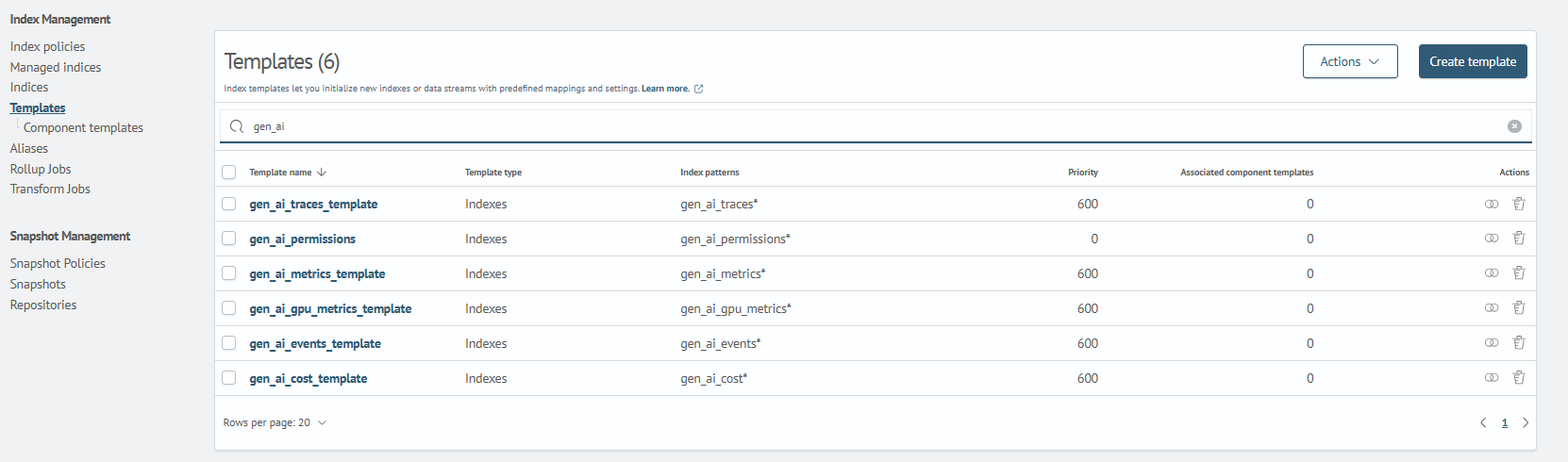
1. Index Templates
After loading, check for index template availability:
Main Menu - System Settings - Index Management - Templates
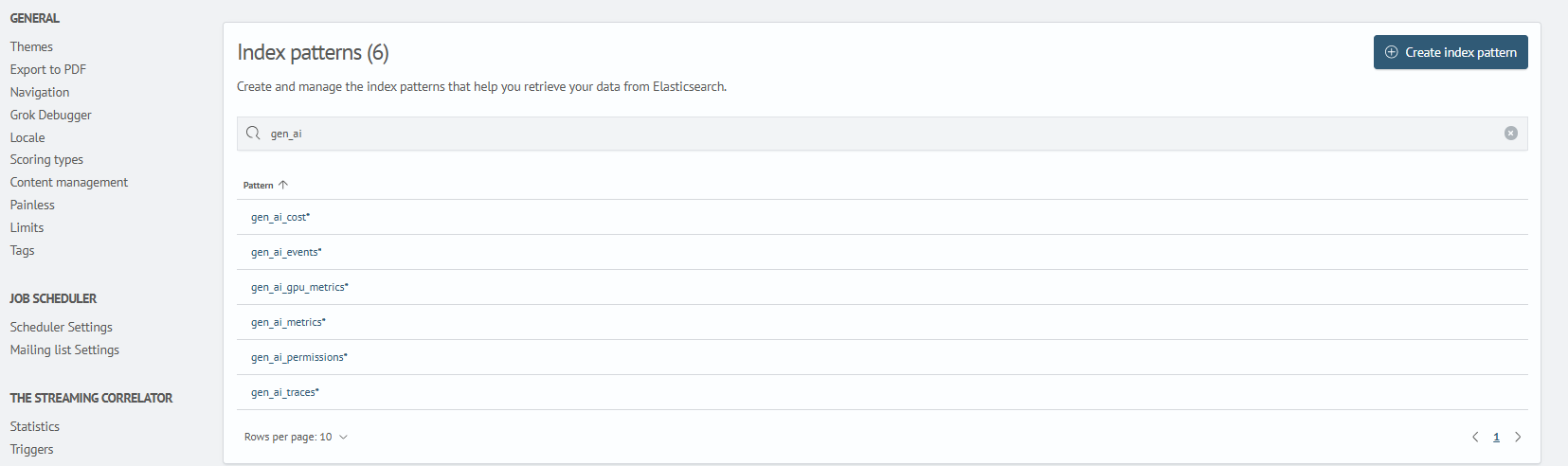
2. Index Patterns
After loading, check for index pattern availability:
Main Menu - System Settings - Module Settings - OPENSEARCH - Index Patterns
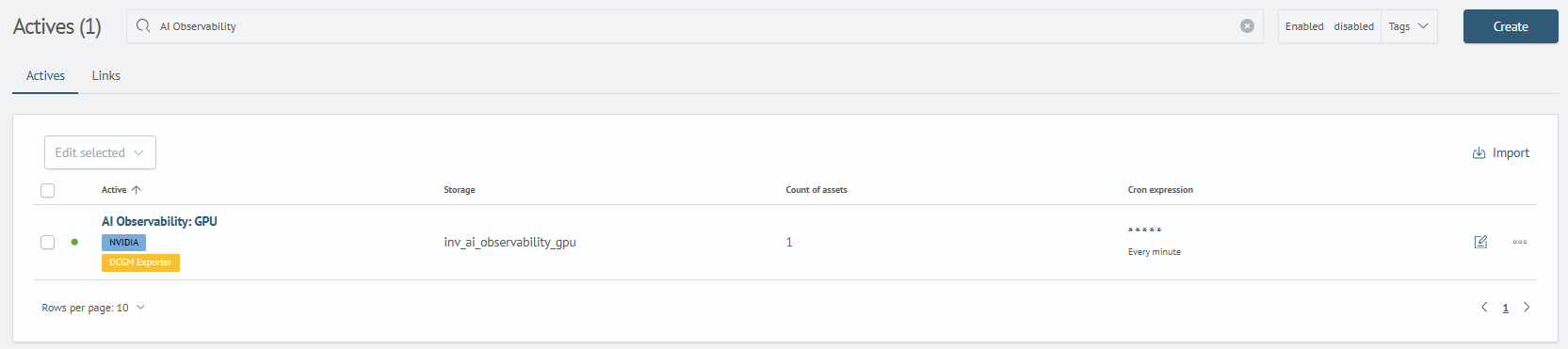
3. Inventory Asset
After loading, check for inventory asset availability:
Main Menu - Inventory - Assets
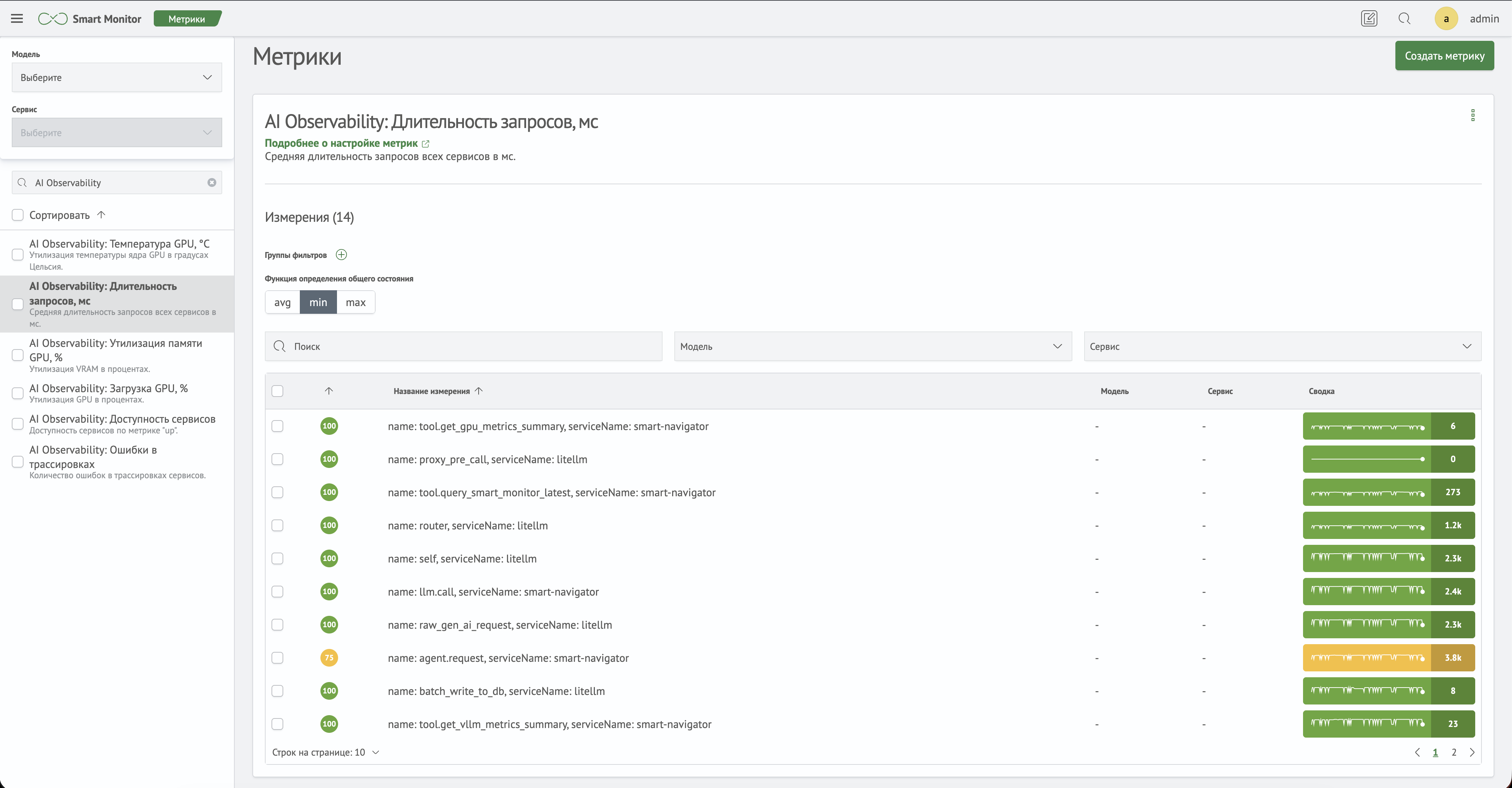
4. Health Metrics
After loading, check for global metrics in the Service Monitor Toolkit module:
Main Menu - Service Monitor Toolkit - Metrics
5. Ingest Pipelines
Check that the four ingest pipelines are present in the Dev Tools console (Main Menu - Settings - Dev Tools):
GET _ingest/pipeline/gen_ai_*
6. Lookups
Check that the nine claude_code_* lookups are present:
Main Menu - Lookups

7. ai Command Preset
Run the utility with --show to display the state of the ai_observability_default preset and other installed objects without writing data:
./bin/make_ai_observability.py \
  --sm_host <SEARCH_ANYWHERE_FRAMEWORK_HOST> \
  --sm_user <SEARCH_ANYWHERE_FRAMEWORK_USER> \
  --show
Removing Objects
To remove all deployed objects, use the reverse script:
export SM_PASSWORD='<SEARCH_ANYWHERE_FRAMEWORK_PASSWORD>'
./bin/remove_ai_observability.py \
  --sm_host <SEARCH_ANYWHERE_FRAMEWORK_HOST> \
  --sm_api_port <SEARCH_ANYWHERE_FRAMEWORK_API_PORT> \
  --sm_cluster_port <OPENSEARCH_PORT> \
  --sm_user <SEARCH_ANYWHERE_FRAMEWORK_USER>
--dry-run shows what would be removed without sending requests to Search Anywhere Framework. Use --skip-ingest-pipelines, --skip-index-templates, --skip-index-patterns, --skip-ai-presets, --skip-lookups, --skip-inventory, or --skip-rsm-metrics to leave the corresponding object type in place.
Only lookup configurations are removed; indexes containing lookup rows remain. The gen_ai_* indexes also remain and retain their ingest-pipeline references. After the pipelines are removed, writes to those indexes are rejected, so stop data collection before removing the objects.