Installing the Content Module
Table of Contents
Overview
The AI Security content module is distributed as the ai_security.zip archive, which contains ready-to-use knowledge objects. Import the archive through Content Management.
Module Contents
| Object Type | Objects |
|---|---|
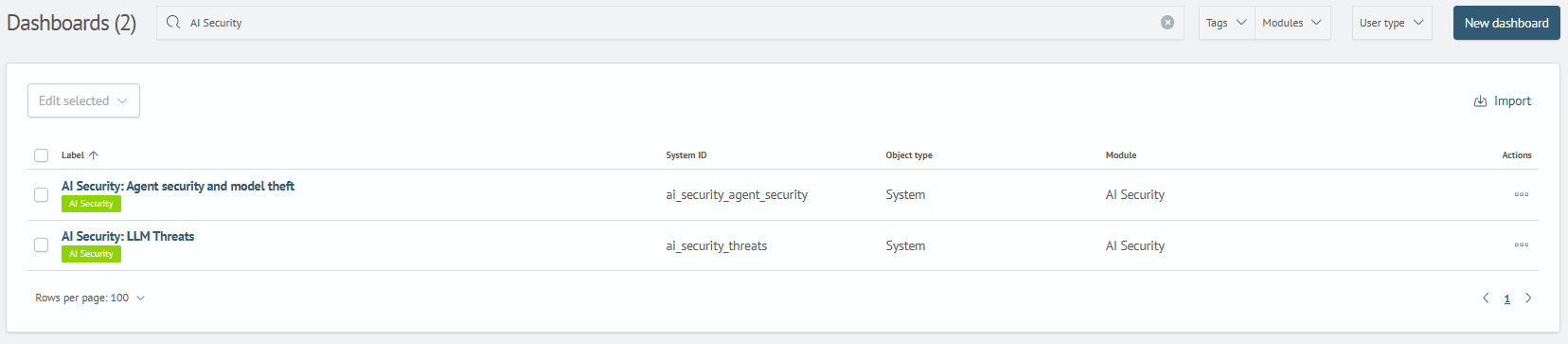
| Dashboards | 2 dashboards covering LLM threats, agent security, and model theft |
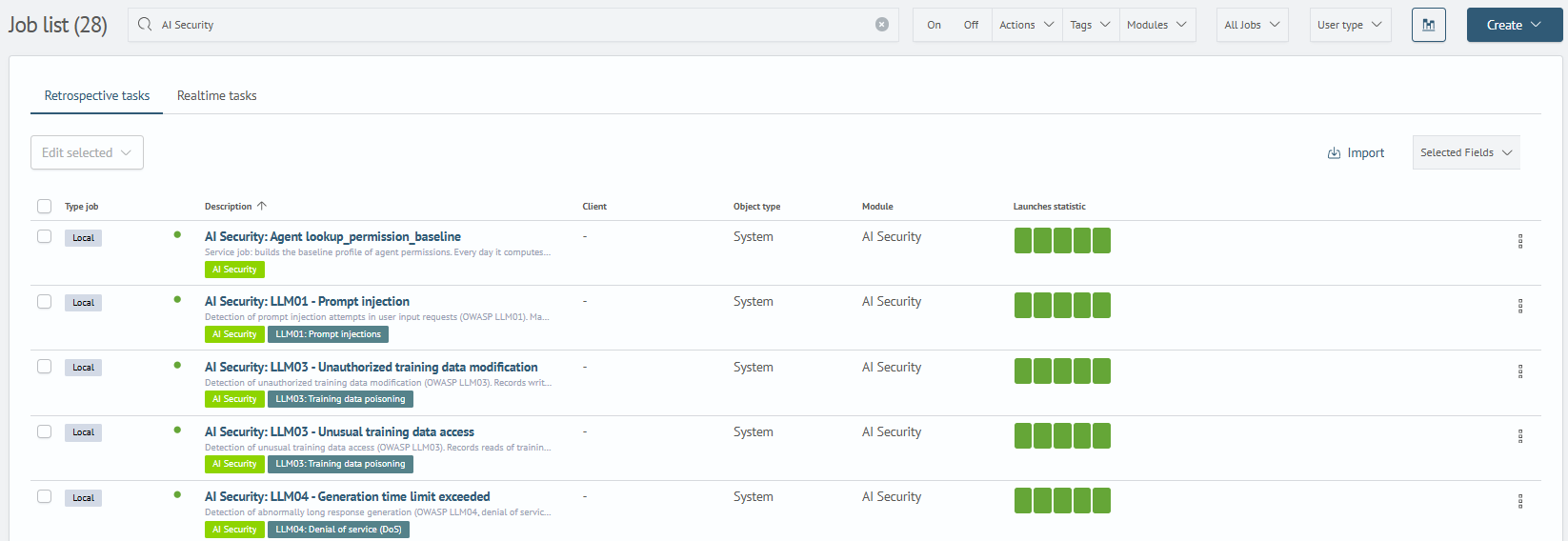
| Scheduled jobs | 32 jobs for threat detection, event processing, and lookup population |
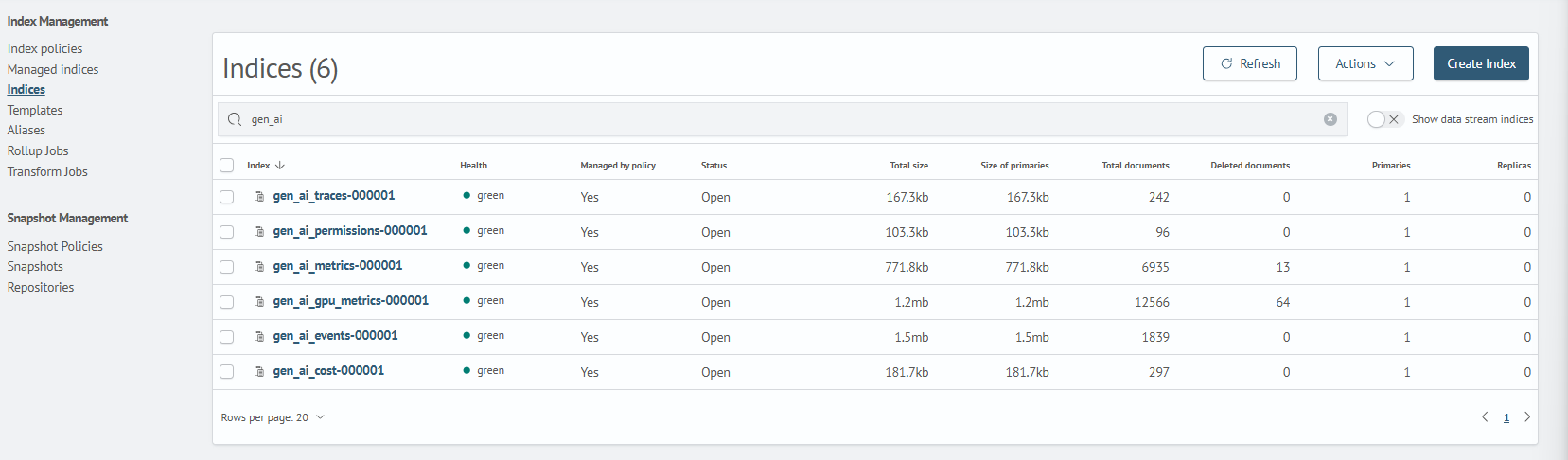
| Runtime indexes | gen_ai_events, gen_ai_gpu_metrics, gen_ai_permissions |
| Internal indexes | Store the results of static and semantic request analysis |
| Tags | AI Security, LLM01, LLM03, LLM04, LLM05, LLM06, LLM07, LLM08, LLM10 |
| ISM policies | Lifecycle policy for gen_ai_* indexes |
The settings in the indexes and policiesism directories must be adapted to the data retention and rotation requirements of the target deployment.
Installation Procedure
Step 1. Install the Module
Before importing the archive, install the utility. It prepares the module dependencies, lookups, and semantic search model.
Follow the instructions in Content Management.
Example
- Go to
Content Management(Main Menu-System Parameters-Module Settings-General-Content Management) - Select or drag the
ai_security.ziparchive updated by the utility - Confirm the installation. When the process is complete, the objects become available in the corresponding interface sections
Additional AI Analysis
You can connect an external AI model to perform additional checks on detected matches:
- Disable
AI Security: LLM01 — Prompt injection - Configure a connection to the external AI service using the platform tools. In the
AI Security: LLM01 — Prompt injection AI checkquery, replace__EXTERNAL_AI_MODEL__with the identifier of an available model - Enable the AI check job
Only one of the LLM01 incident creation jobs should be enabled at a time: Prompt injection or Prompt injection AI check.
Step 2. Verify the Imported Module Objects
1. Verify the Dashboards
Verify that the two module dashboards are available:
Main Menu - Main - Dashboards
2. Verify the Scheduled Jobs
Verify that the 32 module jobs are available:
Main Menu - Job Scheduler - Jobs List
3. Verify the Indexes
Verify that the indexes are available:
Main Menu - System Parameters - Index Management - Indexes
4. Verify the Index Management Policy
Verify that the ISM policy is available:
Main Menu - System Parameters - Index Management - Index Policies

5. Verify the Tags
Verify that the tags are available:
Main Menu - System Parameters - Module Settings - Tags
- AI Security
- LLM01: Prompt Injection
- LLM03: Training Data Poisoning
- LLM04: Model Denial of Service (DoS)
- LLM05: Supply Chain Vulnerabilities
- LLM06: Sensitive Information Disclosure
- LLM07: Insecure Plugin Design
- LLM08: Excessive Agency
- LLM10: Model Theft