Tag Selection
Tag Management
This step allows you to select tags for installation or update in SAF.
At the moment, the following tag settings are supported:
- Tags
- Tag types
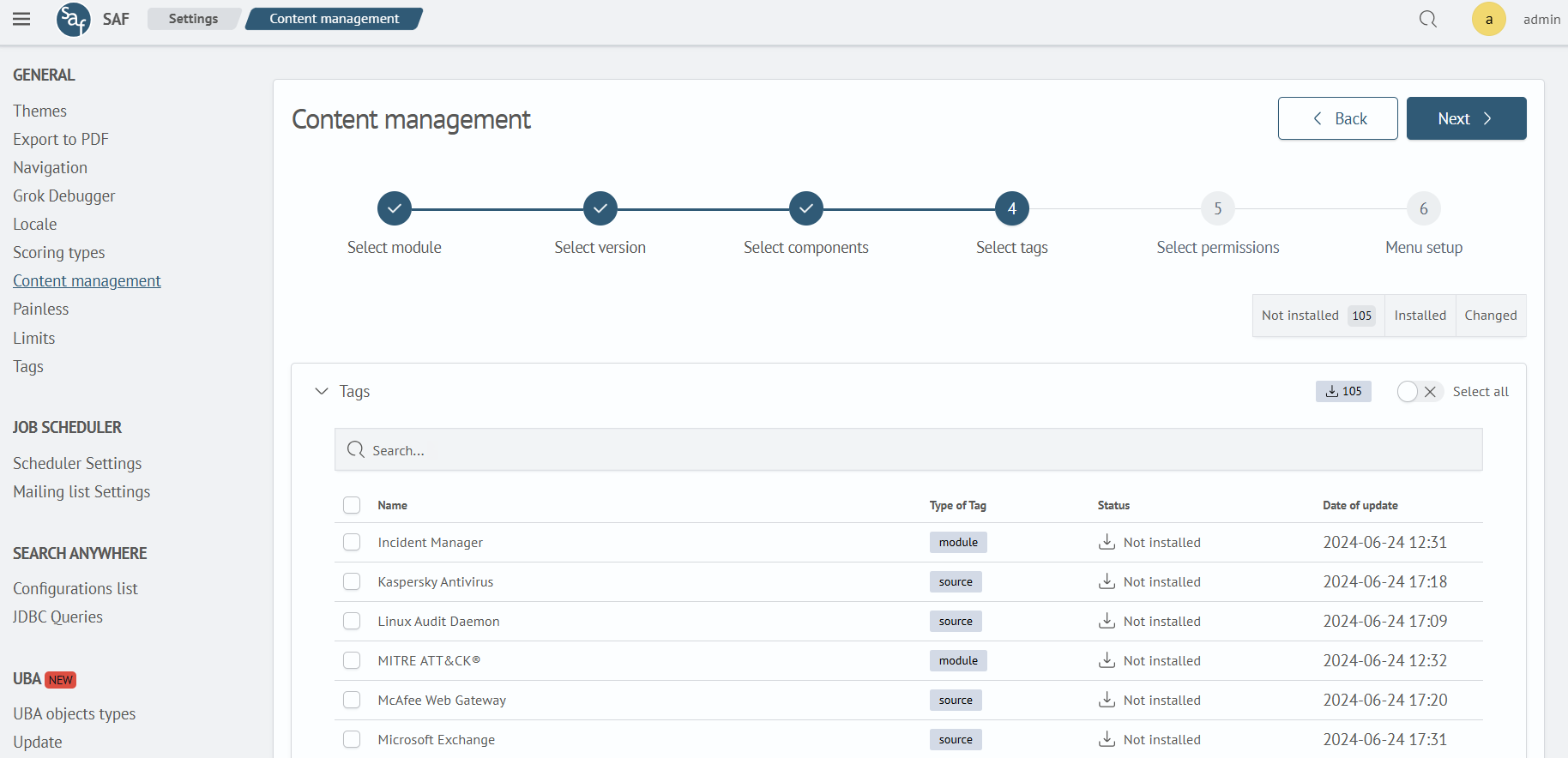
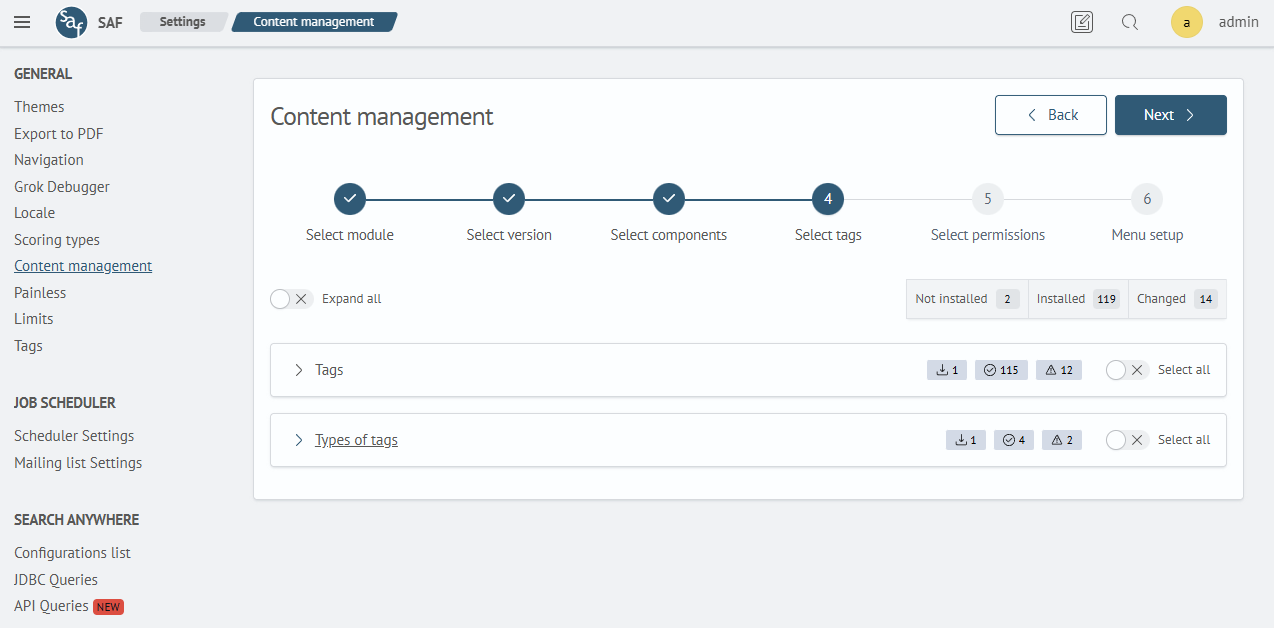
The interface has the following capabilities:
- Filters: You can filter tags by status: Installed, Not Installed, or Changed
- Select All Tags: By clicking the Select all button, you can mark all tags available for modification and installation
- Search: Use the search bar to quickly find tags
- Version Comparison: Allows you to see the difference between the installed and the loaded object
Version comparison is available only for tag types.
Tag Selection
Objects that are already installed in the system are unavailable for selection.
Tags corresponding to the objects selected in the previous step are automatically highlighted in Step 4, but they can be modified if necessary. For example, in Step 3, we selected an object with the tag Email, so in Step 4, the tag named Email will be highlighted.
To determine if there are selected tags in the table, pay attention to the checkbox in the table header. If it has a square outline, it means there is at least one selected item in the table.
In the tags table, if a tag type exists in the system, it will be highlighted with the corresponding color; otherwise, it will be indicated that it needs to be installed.
Version Comparison
For tag types that have been modified, the version comparison function is available (highlighted in red).
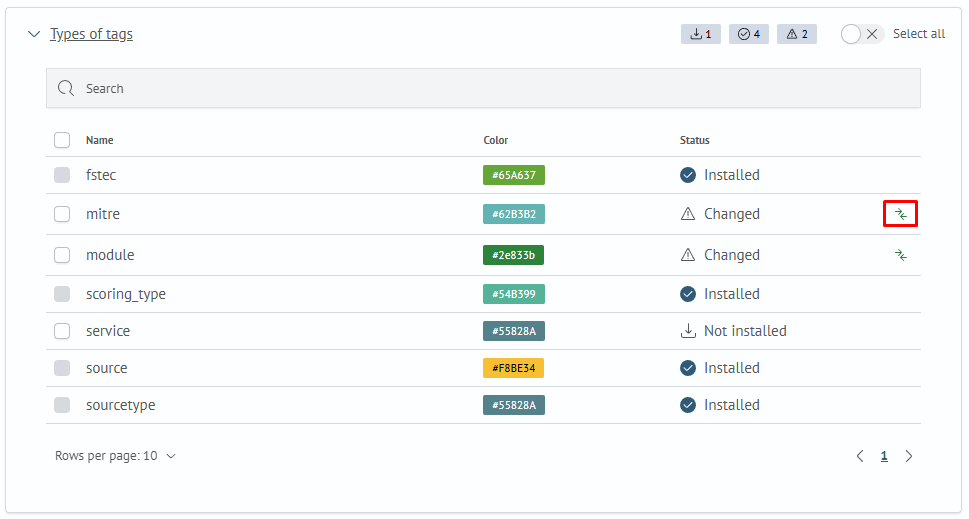
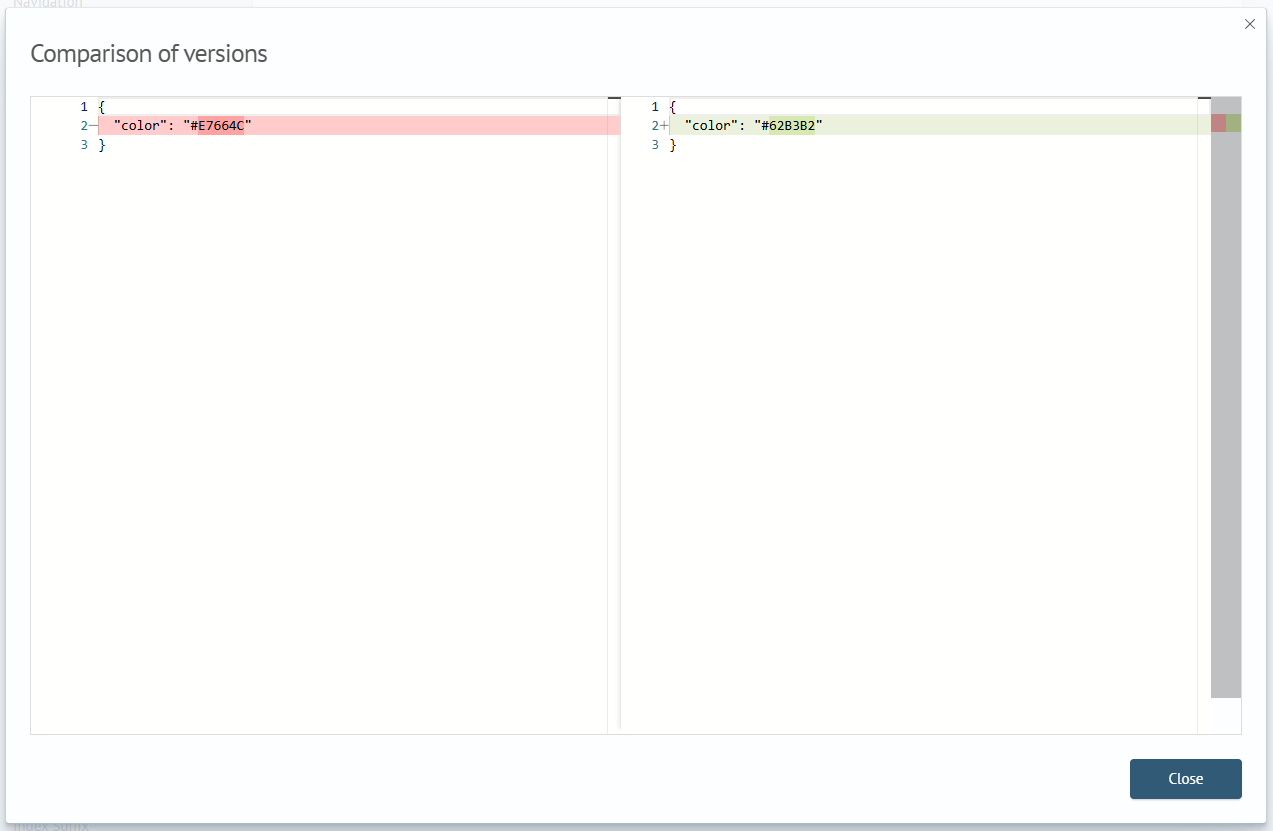
Clicking the corresponding button opens a modal window with a comparison form in JSON format, where changed lines will be color-highlighted.
Filtering
Filtering is applied to all groups. To set a filter, click the button with the required name. To cancel a filter, click the same button again.
You can combine multiple filters, for example, by enabling the Not Installed and Modified filters.