Model Services View
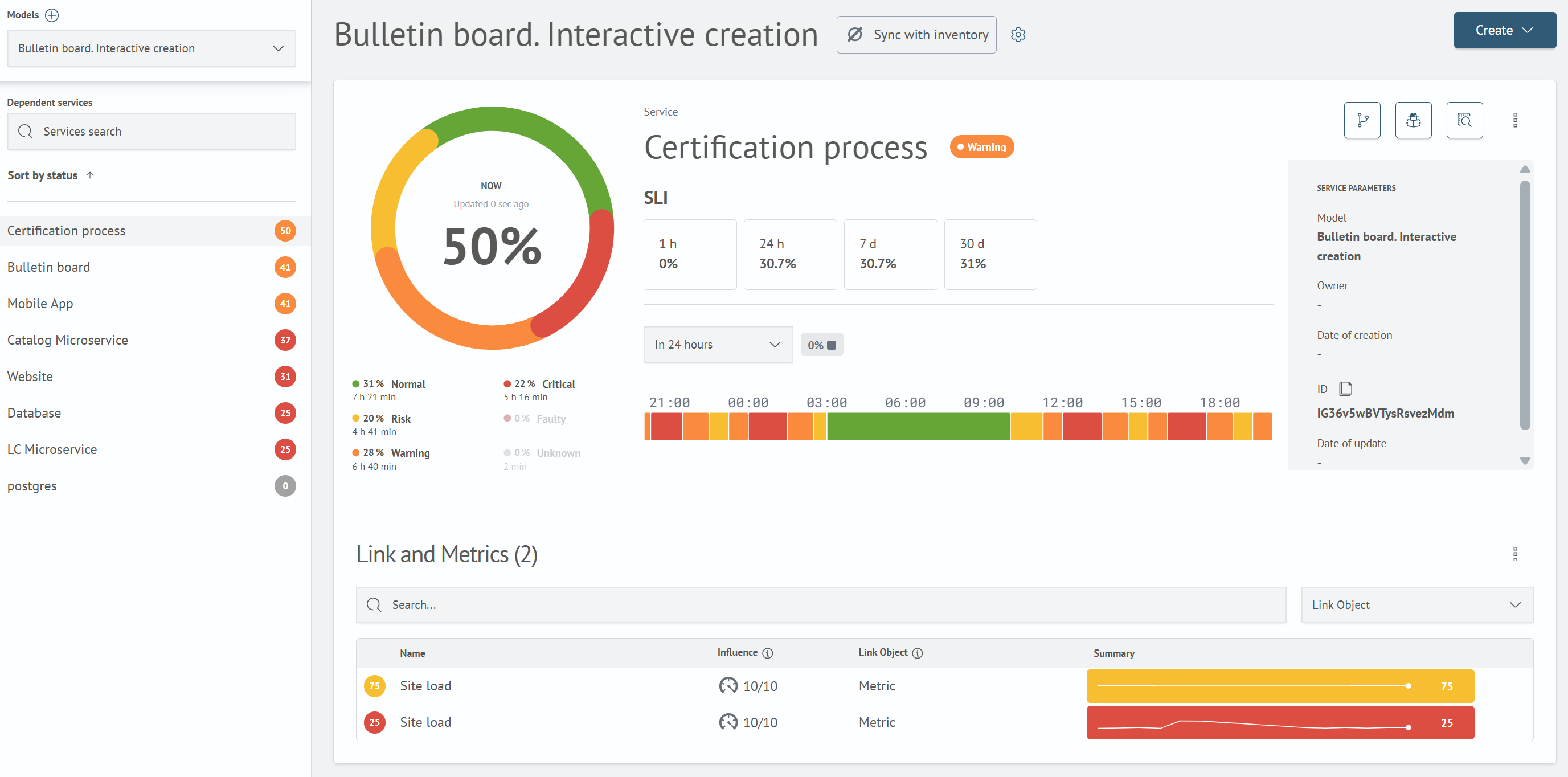
The page is designed to view information about a model service, with the ability to select another service or model.
Model and Service Selection Panel
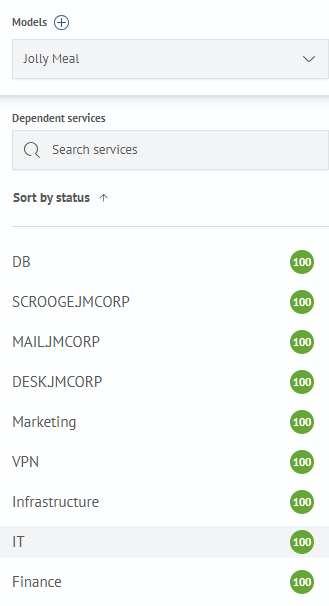
The left panel allows:
- create a new model by clicking the
+button at the top of the panel - select a model whose services need to be viewed
- find the required service using the
Service Searchfield - sort services by health value
- select a service for detailed view by clicking on it
The health status is displayed to the right of the service name
Synchronization with Inventory

A model can be linked with Inventory. The status displays the synchronization state.

To edit synchronization, click the settings icon and select the Edit item. This transitions to the Inventory synchronization settings page.
Synchronization can also be temporarily Disable/Turn on by selecting the corresponding item.
Creating Models and Services

The following objects can be created on the page:
Model- transition to the model creation page (seeCreating and Editing Modelssection)Service- creating a service for this model

A service can be created in two ways:
From Inventory- by synchronizing the Inventory configuration with the model (transition to the Inventory synchronization page)In Manual Mode- by creating and configuring a new service (transition to the service creation page)
Service Details
Detailed information about the selected service is displayed on the page. More details in the corresponding section service details.
In the Relationships and metrics table, the Impact column shows how strongly each object affects the service status: a circular indicator with a priority value in the N/10 format, the absolute label, or an empty cell if the object does not affect the calculation.
Additional service settings and Connections and Metrics table settings are available in the service card.
Service Settings

To configure- editing the service (transition to the service editing page)Delete- delete the service. After deletion, the first service of the selected model is selected from the list
Connections and Metrics Table Settings

Link object- configure objects attached to the service (transition to the connections setup page)Set up an impact- transition to the object influence configuration page