Service Modification
Setting Up Service Basic Data
To configure an existing service, go to the service card. Then click the "three dots" icon in the upper right corner of the service and select the Edit item in the menu.
You can also get here through the Connections and Metrics block by clicking the "three dots" icon and selecting Configure Influence.
The setup data does not differ from what was in the document on service creation.
After this, the service configuration form will open:
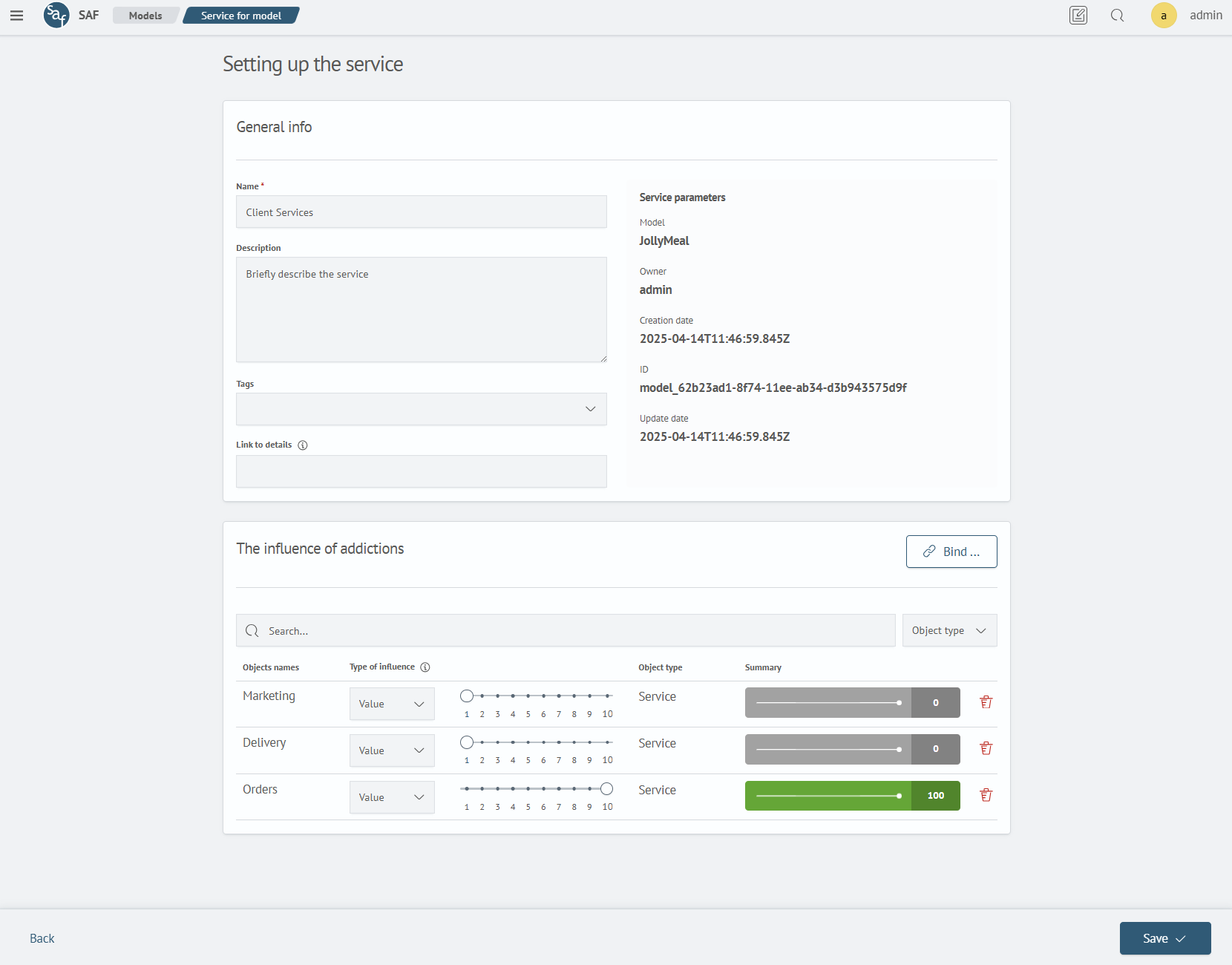
The dependency list can be filtered using the Search input field or using the object type filter: Metric or Service.
Setting Up Service Connections
To go to the screen for setting up connections of an existing service, you can click the Attach ... button from the previous screen.
You can also get to this screen from the service card in the Connections and Metrics block by clicking the "three dots" icon and selecting Attach Objects.
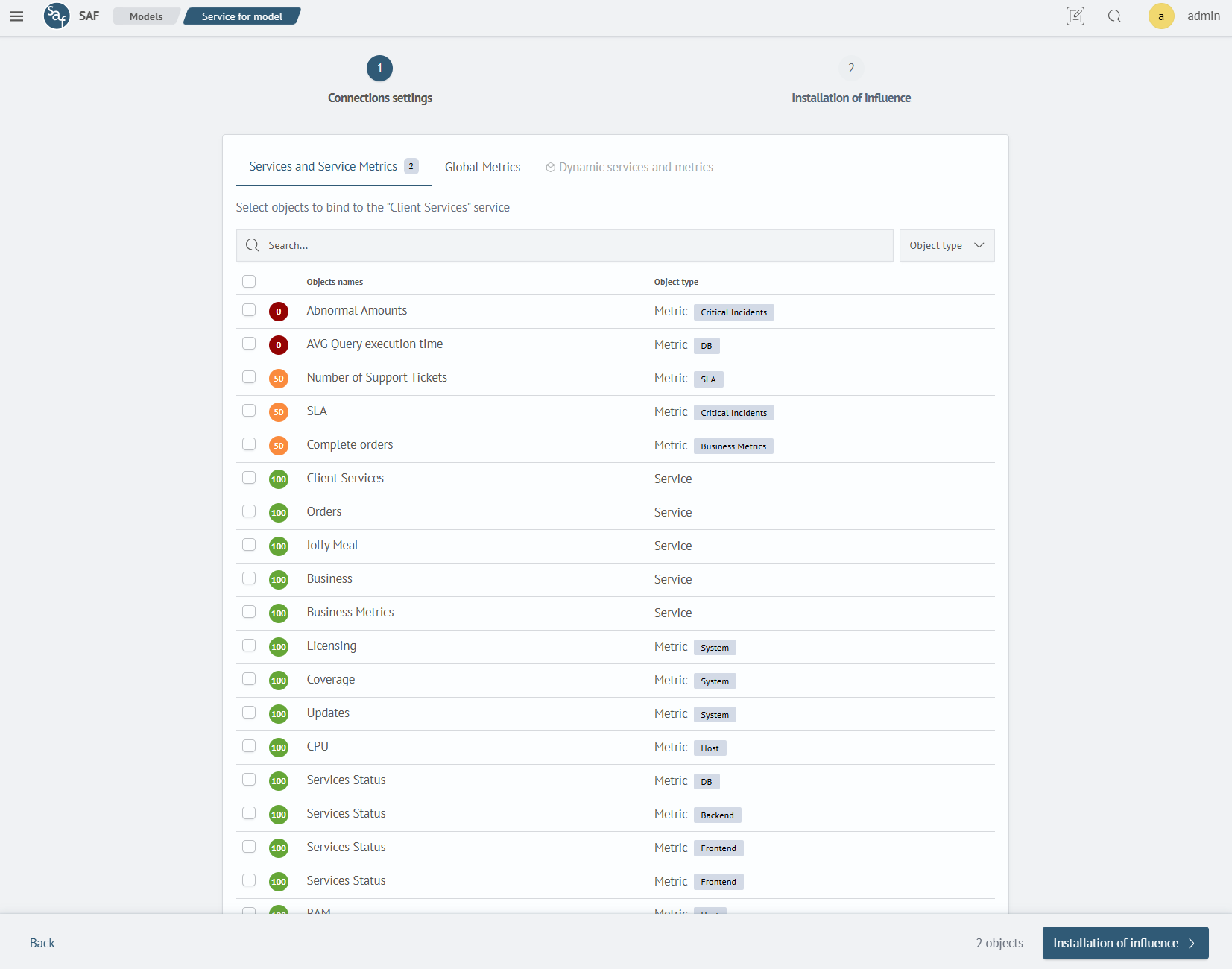
The settings are also identical to those in service creation.
The Dynamic Services and Metrics tab is available with a LICENSE for the Service Monitor Toolkit module.