Model Import and Export
Import and export allow transferring models between Smart Monitor installations and saving backup copies in JSON format.
Model Import
To import one or more models:
- Go to the
Modelspage - Click the
Importbutton in the upper right corner of the list - In the
Model Importmodal window, select a JSON file - Click the
Importbutton
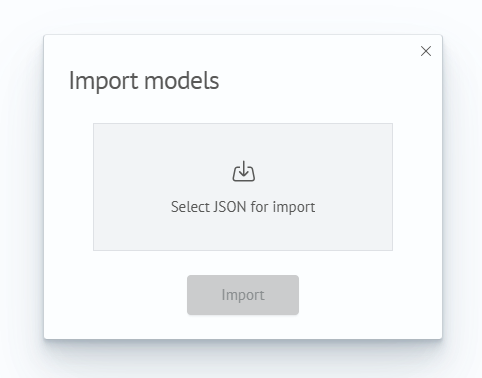
The Import button becomes active only after selecting a file. Smart Monitor accepts files with the .json extension; if a file of another format is selected, an error message will appear.
After successful import, the model is added to the list, and the page data is automatically updated.
The JSON file can contain a description of one model or an array of models. If the filename contains unsupported characters, import will be unavailable and an error message will be displayed.
Model Export
To export a specific model:
- Go to the
Modelspage - Open the actions menu in the row of the desired model
- Select the
Exportitem
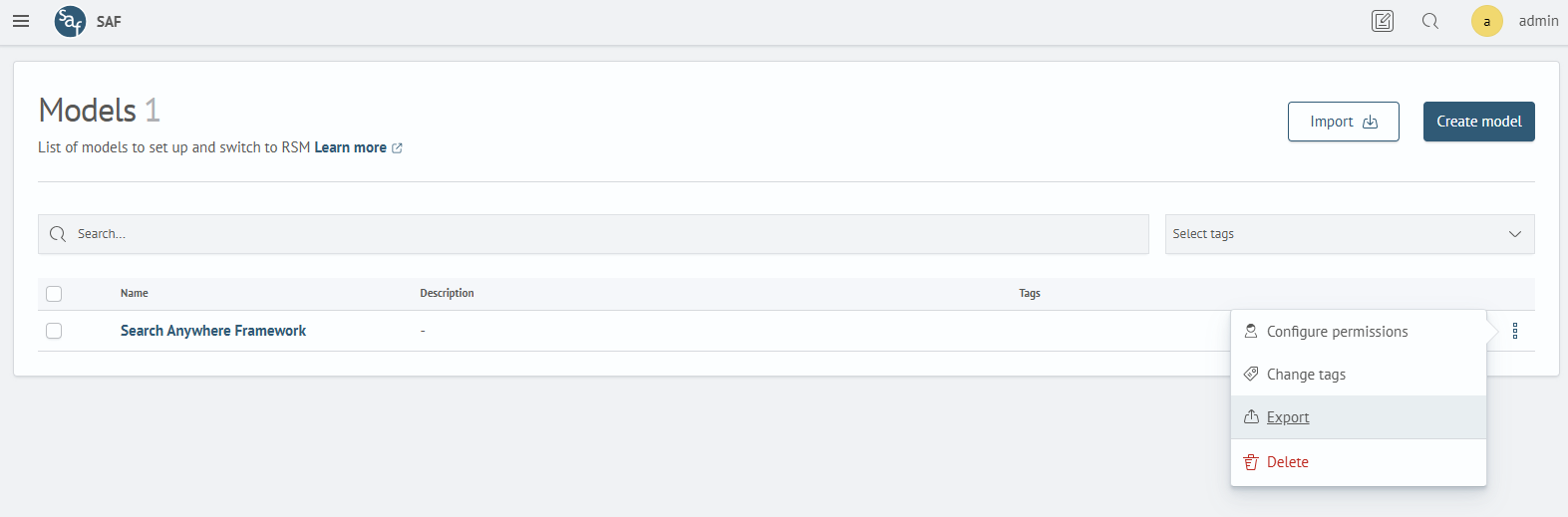
After selecting the Export item, the browser will start downloading a JSON file with data of the selected model. The filename is generated automatically based on the model identifier and export time.