Job Scheduler
Overview
The Job Scheduler component includes functionality for working with search tasks. A search task is a query that is executed on a specified schedule, and the results obtained are processed by various active actions. An active action is a specific processing of the results of a search query, such as creating an incident, sending an email notification, and other actions.
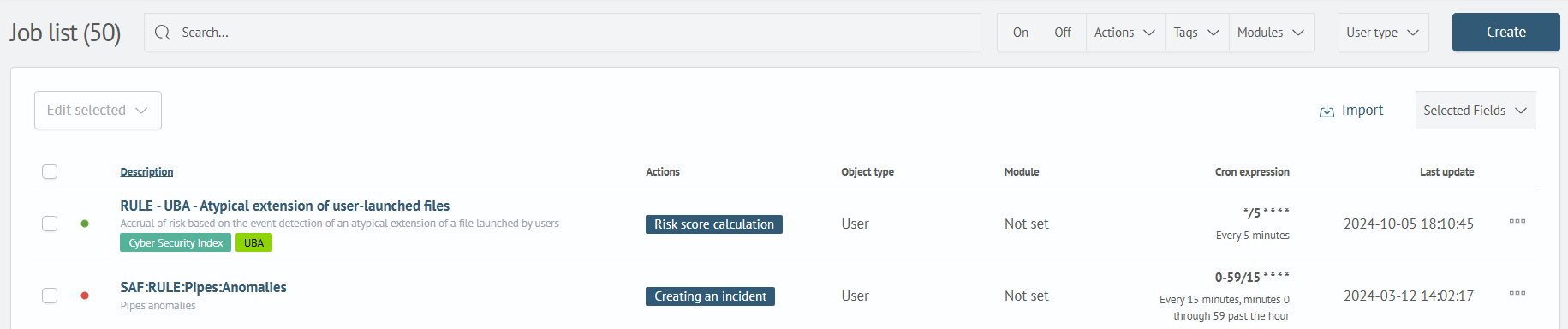
In the main section of the component, there is a list of all tasks:
Example of a scheduled search task:
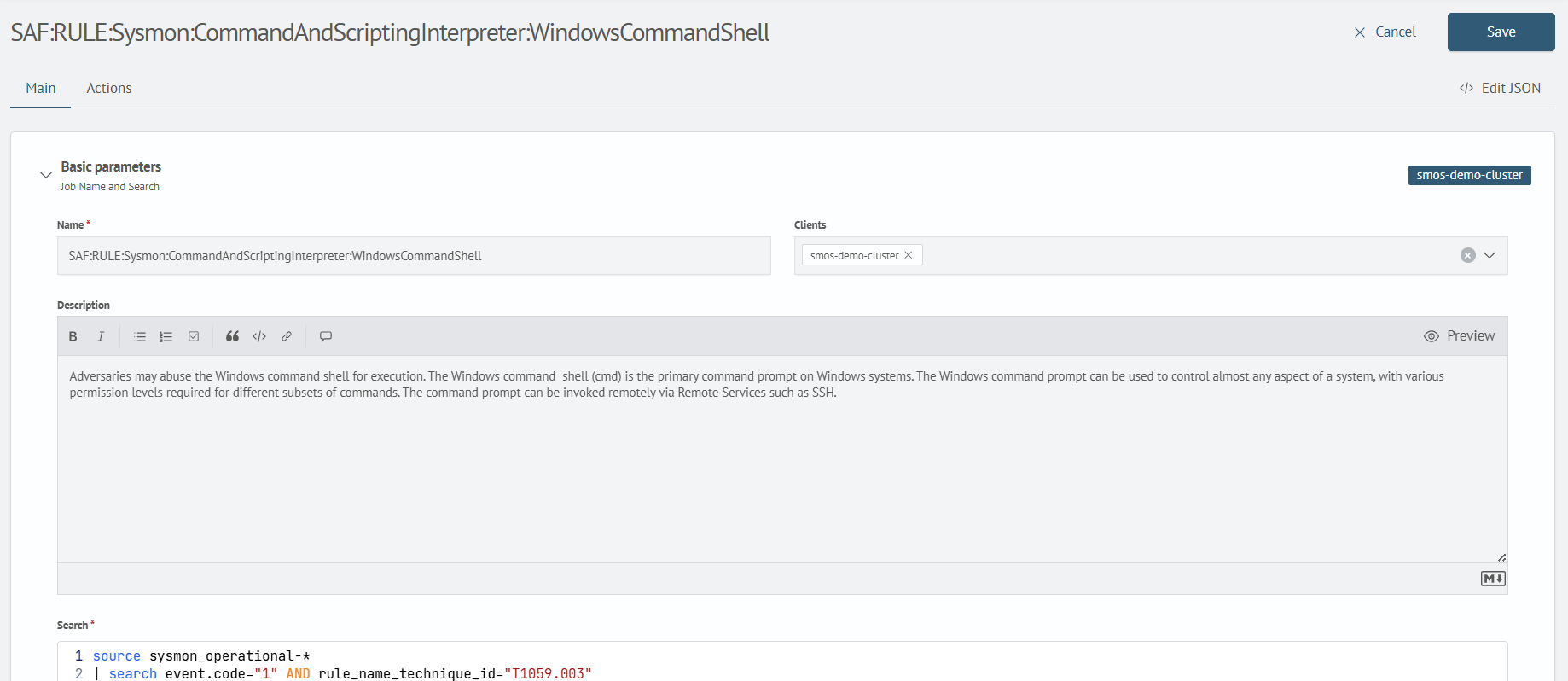
Tasks can be created manually by the user or provided as part of some module as accompanying content.
A colored indicator shows the task status:
- Inactive tasks: 🔴
Red - Active tasks: 🟢
Green
Various active actions are possible based on the results of executing a scheduled task, such as sending results via email, creating incidents, aggregating results into an index, and more.
The complete list of possible actions includes:
- Creating an incident
- Sending E-mail
- Running the script
- Webhook
- Recording in the DB
- Event indexing
- Event logging
- Risk score calculation
- Fixing MITRE ATT&CK® techniques
- MITRE ATT&CK® Risk Score Assignment
For more details on creating and configuring scheduled tasks, refer to the article Job Scheduler.