Resolving user limit issues
Conditional designations
$OS_HOME- OpenSearch installation home directory, usually/app/opensearch$OSD_HOME- Search Anywhere Framework Web home directory, usually/app/opensearch-dashboards
User limit issues
User limits are a key resource consumption control mechanism designed to ensure Search Anywhere Framework stability and fair distribution of resources.
Detailed information on configuring limits in Search Anywhere Framework is available in the article Setting up and using limits.
In certain cases, Search Anywhere Framework may encounter errors related to incorrect or incomplete user limit settings. In particular, when executing a search query, an error Error while parsing limits: Base user limit not found in index may occur, indicating problems with the base user limits. This article provides instructions for resolving this issue.
Checking existing limits
At the first stage of solving the problem, it is recommended to check existing limits via the base_limit endpoint. To do this, execute the following request in the Dev Tools console:
GET _core/limits_user/base_limit
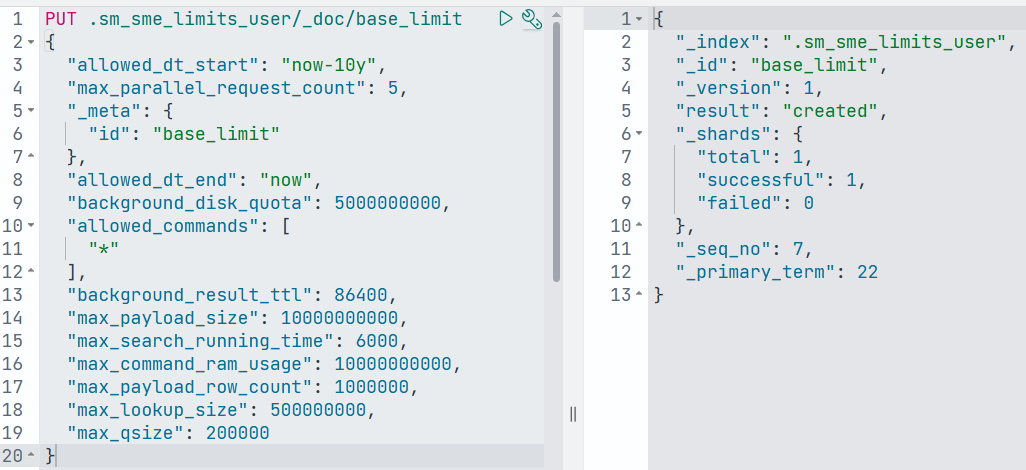
If the limit document is not found at the requested endpoint, it must be added to the system index .sm_sme_limits_user. Below is an example command that adds the base_limit document to the index with default limit values:
PUT .sm_sme_limits_user/_doc/base_limit
{
  "allowed_dt_start": "now-10y",
  "max_parallel_request_count": 5,
  "_meta": {
    "id": "base_limit"
  },
  "allowed_dt_end": "now",
  "background_disk_quota": 5000000000,
  "allowed_commands": [
    "*"
  ],
  "background_result_ttl": 86400,
  "max_payload_size": 10000000000,
  "max_search_running_time": 6000,
  "max_command_ram_usage": 10000000000,
  "max_payload_row_count": 1000000,
  "max_lookup_size": 500000000,
  "max_qsize": 200000
}
An example of executing the command in the Dev Tools console is shown in the image below.
Checking master node configuration correctness
Since master nodes are not intended for processing search requests, it is important that the configuration ${OS_HOME}/config/opensearch.yml does not contain the setting of the node.attr.node_with_sme parameter on master nodes.
With the value node.attr.node_with_sme: true, the node is considered to be participating in the work of the sme-re plugin. In this case, the request may be directed to the master node, which leads to an attempt to execute it without the necessary environment and, as a result, to the error Base user limit not found in index.
To resolve this issue, you should change the value of the node.attr.node_with_sme parameter to false, and then restart the OpenSearch service on the master node:
systemctl restart opensearch
Checking Search Anywhere Framework Web configuration correctness
A common cause of problems with base user limits is an incorrect list of nodes in the opensearch.hosts parameter in the configuration ${OSD_HOME}/config/opensearch_dashboards.yml.
It is important to ensure that the opensearch.hosts node list contains only nodes with the data role.
You can check node roles in the cluster by executing the following request in the Dev Tools console:
GET /_cat/nodes
If the opensearch.hosts list contains nodes with the master role, they must be excluded from the parameter and restart the Search Anywhere Framework Web service:
systemctl restart opensearch-dashboards
Checking installed plugins on master nodes
In some cases, plugins may be installed on master nodes, the presence of which causes conflicts when executing requests and an error related to Base user limit. More details are in the documentation section Job Scheduler plugin installation specifics.
You can check the plugin list with the following command in the Dev Tools console:
GET _cat/plugins
If plugins sm-job-scheduler, sm-sigma, sm-job-scheduler-actions-incident and sm-job-scheduler-actions-mitre are present on master nodes, they must be removed.
Plugin removal instructions are provided in the documentation section Removing plugins.
After removing the plugins, you need to remove the password jobscheduler.email.pass from the Keystore:
sudo -u opensearch ${OS_HOME}/bin/opensearch-keystore remove jobscheduler.email.pass
After that, you need to restart the OpenSearch service on the nodes where plugins were removed:
systemctl restart opensearch
Checking shard distribution across cluster nodes
It is important to check that the shards of the system index with limits are distributed across all hot nodes of the cluster.
To do this, you need to check for the presence of the parameter "auto_expand_replicas": "0-all" in the settings of the index .sm_sme_limits_user. This parameter enables automatic change of the number of replicas depending on the number of data nodes in the cluster.
Getting the settings of the system index .sm_sme_limits_user is done with the following command in the Dev Tools console:
GET .sm_sme_limits_user/_settings
An example response is shown below:
{
	".sm_sme_limits_user": {
		"settings": {
			"index": {
				"replication": {
					"type": "DOCUMENT"
				},
				"refresh_interval": "1s",
				"number_of_shards": "1",
				"auto_expand_replicas": "0-all",
				"provided_name": ".sm_sme_limits_user",
				"max_result_window": "10000",
				"creation_date": "1711975664940",
				"priority": "10000",
				"number_of_replicas": "0",
				"uuid": "uUkJ_EJbQNSzFeLLy_-wdg",
				"version": {
					"created": "136327927",
					"upgraded": "137237827"
				}
			}
		}
	}
}
If the parameter is missing from the settings, you need to execute the following request:
PUT .sm_sme_limits_user/_settings
{
  "index": {
    "auto_expand_replicas": "0-all"
  }
}
After these actions, you need to check that the shards of the index .sm_sme_limits_user are distributed across all data nodes of the cluster:
GET /_cat/shards/.sm_sme_limits_user?v=true
By performing the listed checks and applying the described actions when necessary, you can sequentially diagnose and eliminate the causes of the Base user limit not found in index error, restoring stable operation of the limit mechanism and query execution in Search Anywhere Framework.