Setting up and using limits
Limits restrict Search Anywhere Framework resources used for processing requests.
Setting up user and role limits
Checking each user limit proceeds sequentially. First, their own limit is checked. If it is not specified, the user's role limits are checked. If several roles have this limit specified, the most extended one is selected. If the user's roles also do not have a limit specified, the base limit is used.
Limits can be configured through the interface available in the navigation menu at Settings - Management - Limits.
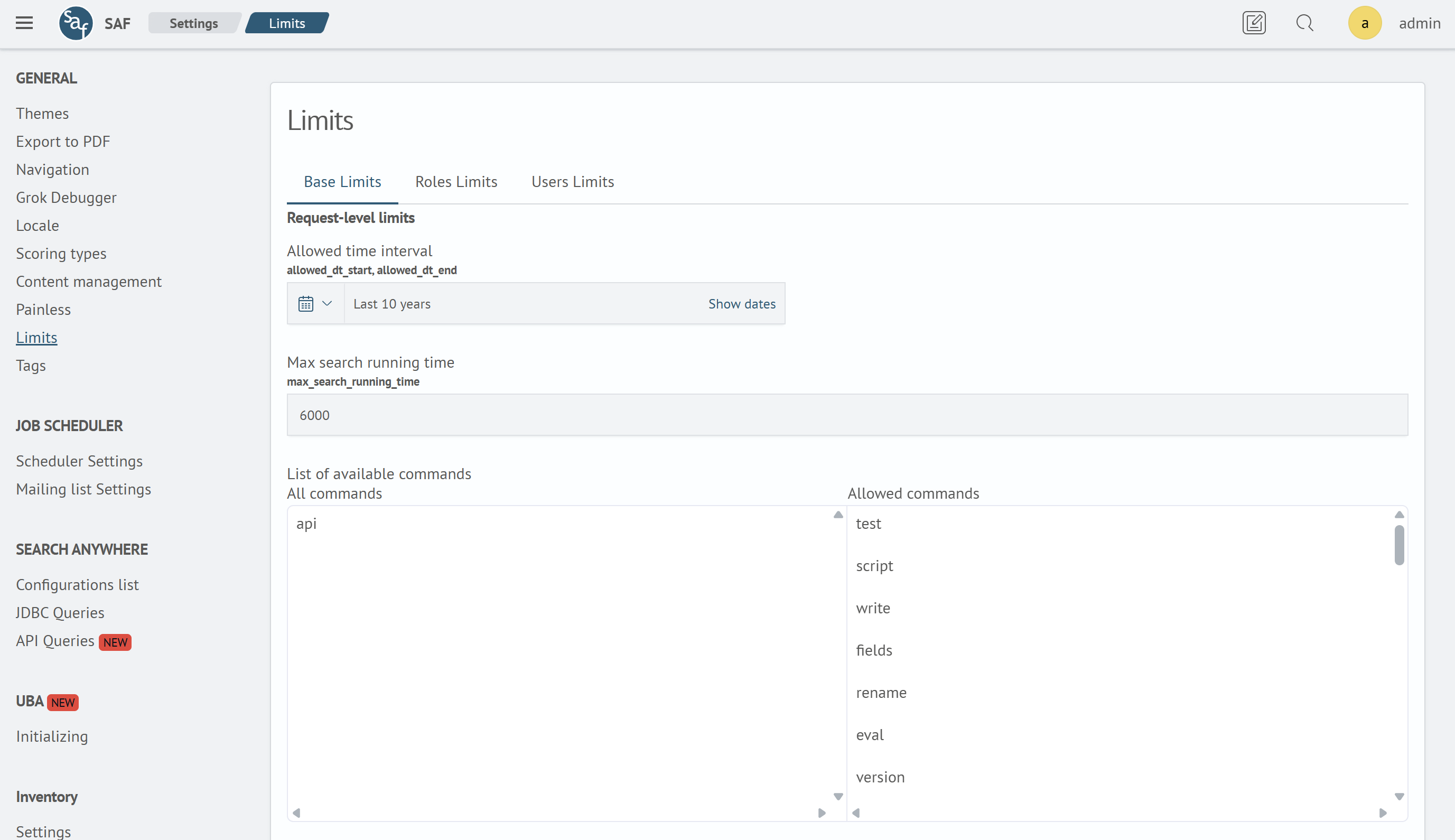
In this section of Search Anywhere Framework, you can configure base limits, limits for individual roles or users.
Configuration example
The user has been assigned the following limits:
| Name | Value |
|---|---|
max_qsize | 500 |
allowed_commands | sourcestatseval |
The user also has roles developer and user. Limits for role developer:
| Name | Value |
|---|---|
max_search_running_time | 500 |
allowed_commands | sourcestreamstatseventstats |
Limits for role user:
| Name | Value |
|---|---|
max_qsize | 1000 |
allowed_dt_start | now-3w |
After combining all types of limits, the following configuration is obtained:
| Name | Value | Limit type |
|---|---|---|
max_qsize | 500 | Personal |
allowed_dt_start | now-3w | Personal |
max_search_running_time | 500 | From role developer |
allowed_commands | sourcestatsevalstreamstatseventstats | Combination of personal limit and role developer |
allowed_dt_end | By default | Base |
max_payload_row_count | By default | Base |
max_payload_size | By default | Base |
max_command_ram_usage | By default | Base |
System limit settings
Limit settings are stored in _cluster/settings in the sme.core dictionary. The table below shows the limit settings and their default values.
| Name | Description | Default value |
|---|---|---|
enable_limits | Enable/disable limiting. | true |
check_base_limit | Creates an index with limits if it is missing. Creates a base limit if it is missing in the limit index. | true |
limits.index_name | Index name where limits are stored. | .sm_sme_limits_user |
max_subsearch_hits_count | Maximum number of documents returned by a subquery. | 50000 |
list_limit | Maximum number of values returned by the list function of the stats command. | 100 |
sort_limit | Maximum number of documents sorted by the sort command. | 10000 |
Limit parameters
Request startup limits
- allowed time interval:
allowed_dt_startandallowed_dt_end - list of available commands:
allowed_commands - maximum amount of requested data:
max_qsize - maximum number of parallel requests:
max_parallel_request_count - maximum volume of returned documents from lookup in bytes:
max_lookup_size - background task result lifetime:
background_result_ttl - total disk space for background task results:
background_disk_quota
Parameters max_lookup_size, background_result_ttl and background_disk_quota are not available for editing through the Search Anywhere Framework limit management interface.
To change these parameters, you need to execute an API request through the Dev Tools console. An example of such a request is shown below:
POST .sm_sme_limits_user/_update/<document id>
{
  "doc": {
    "background_disk_quota": 5000000000,
    "background_result_ttl": 86400,
    "max_lookup_size": 500000000
  }
}
Request execution time limits
- maximum request execution time in seconds:
max_search_running_time - payload document count:
max_payload_row_count - payload size in bytes:
max_payload_size - amount of RAM allocated per thread in bytes:
max_command_ram_usage