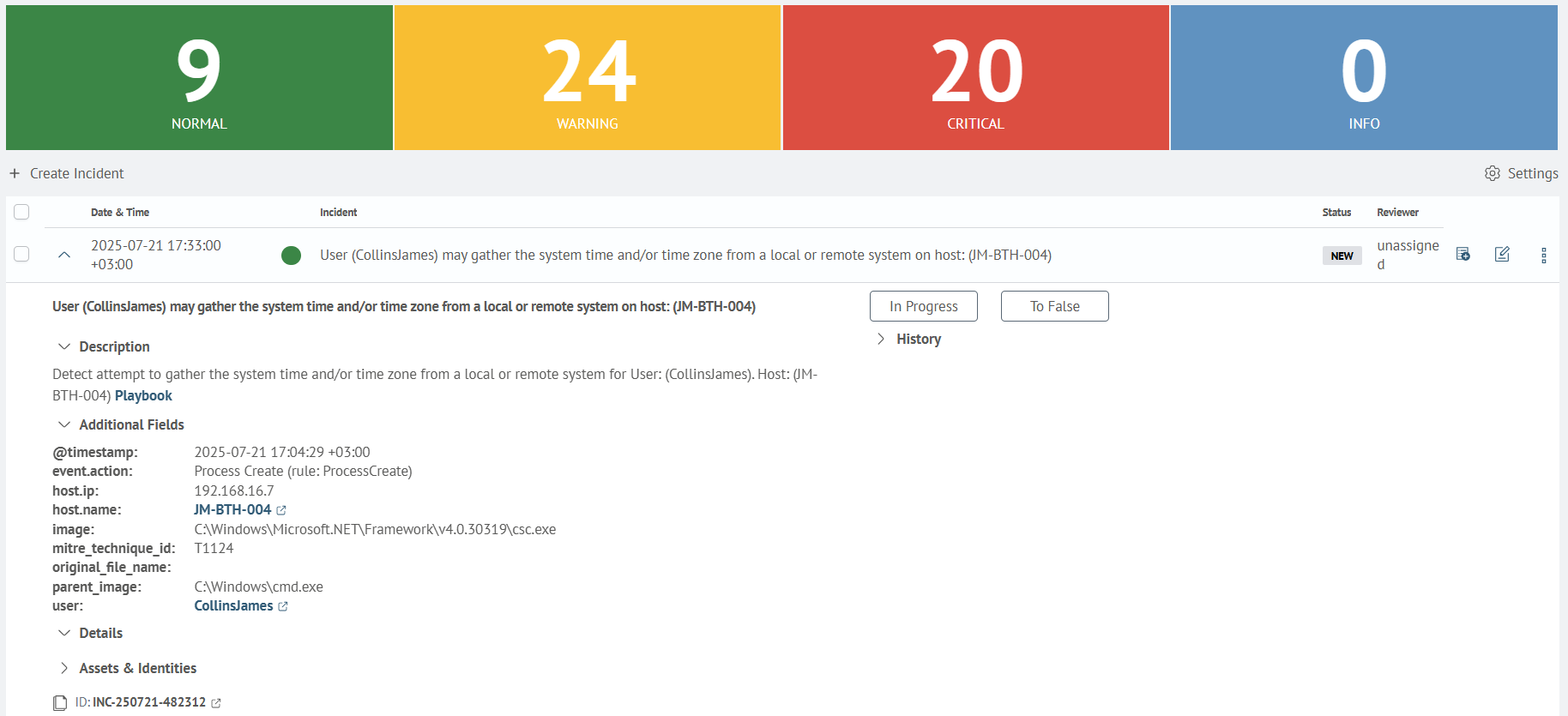
Using the Create incident action
After configuring a search job, add the Create incident action. The following example uses Job Scheduler. For action parameters, see the Active Actions article.
First, enter the search job name and description:
Name-RULE - CS - Sysmon - SystemTimeDiscoveryDescription- an adversary may gather the system time or time zone from a local or remote system
Then enter the search query and time settings:
source sysmon_operational-*
| search event.code="1" AND rule_name_technique_id="T1124"
| rename rule_name_technique_id as mitre_technique_id
| table @timestamp, mitre_technique_id, event.action, host.name, host.ip, user, original_file_name, image, parent_image, command_line, parent_command_line, process_id, parent_process_id, process_guid, parent_process_guid
Time interval-Last 30 minutesTime field-@timestampLock duration (sec)-60
In the Schedule section, set:
Schedule type:Cron ExpressionCron:3-59/5 * * * *Schedule delay:0
Suppression is disabled in a new job. Configure an automatic rule:
- Turn on
Suppression - Select
Automatic suppression - Set
Suppression windowto60minutes - Enter
userin theFieldfield
Throttling is disabled in a new job. Enable it, set the suppression duration to 60 minutes, and select user as the throttling field. A separate automatic entry is created for each user value. Repeated events with the same value are not sent to active actions while the entry is active. For details, see Throttling in Job Scheduler.
In the Global Params section, add:
Key:guidValue:guid()
On the Active Actions tab, add the Create incident action. Its parameters are described in Creating an incident.
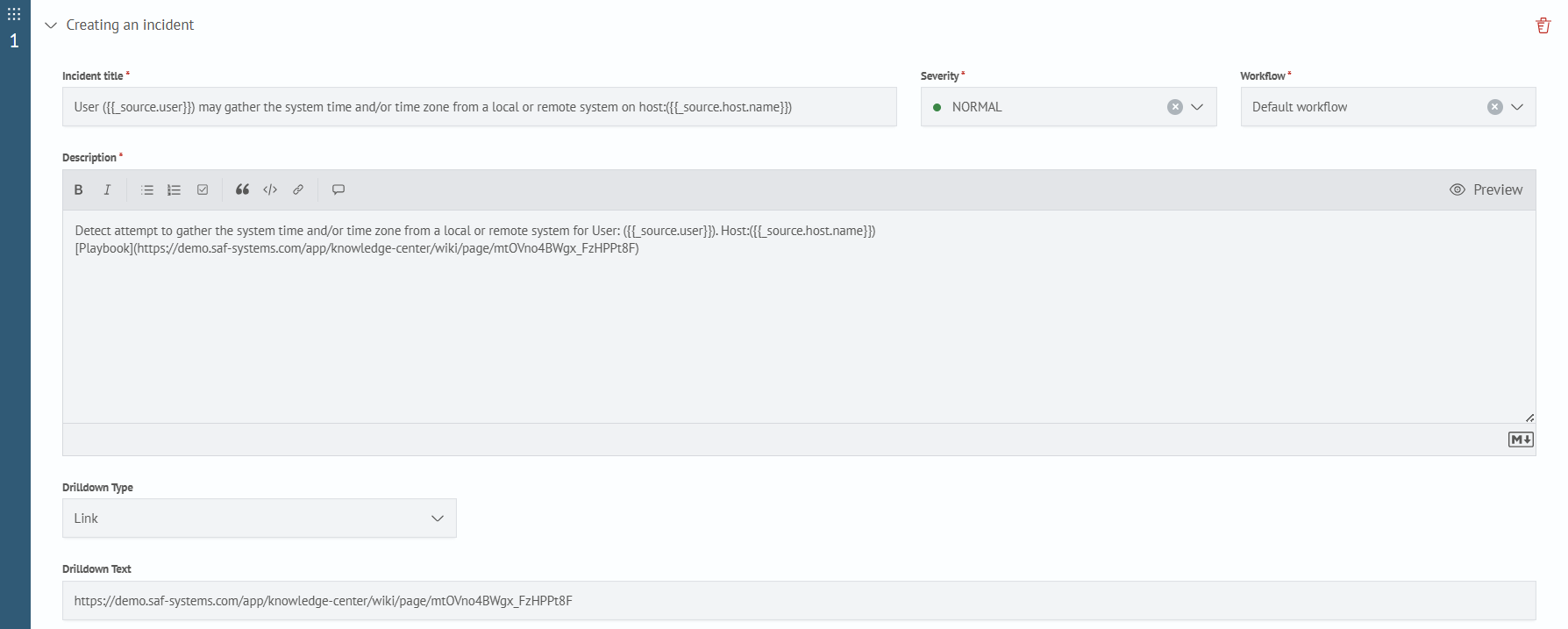
Save the search job and wait for it to run. To view the incident, open Incident Manager from the navigation menu.
The screenshot shows an incident created by Search Anywhere Framework. Its description contains information about the detected event.