Alerts
In Search Anywhere Framework, you can create search jobs to find events on a schedule. Job Scheduler lets you configure the search query, time interval, run frequency, and result throttling.
To create a search job, go to Main Menu - Job Scheduler - Jobs List - Create.
The following example shows how to create a search job. In the first step, enter the job name and description.
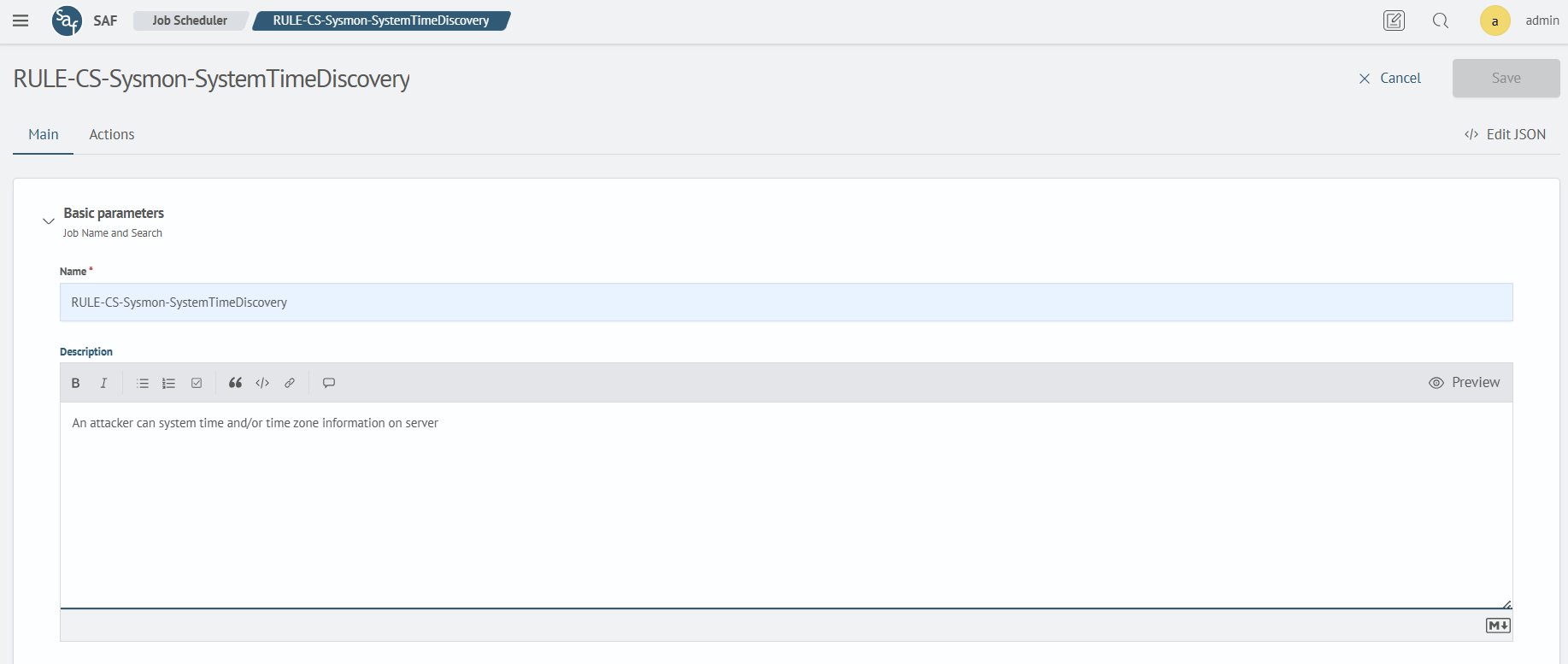
Required fields are marked with a red asterisk next to the field name.
The search job includes a query and its execution parameters:
- Search query - a query in Search Anywhere Framework Language (SAFL)
- Time interval - the interval for searching events
- Time field - the field containing the source event timestamp
- Lock duration - how long another query run is blocked while the previous run is still in progress

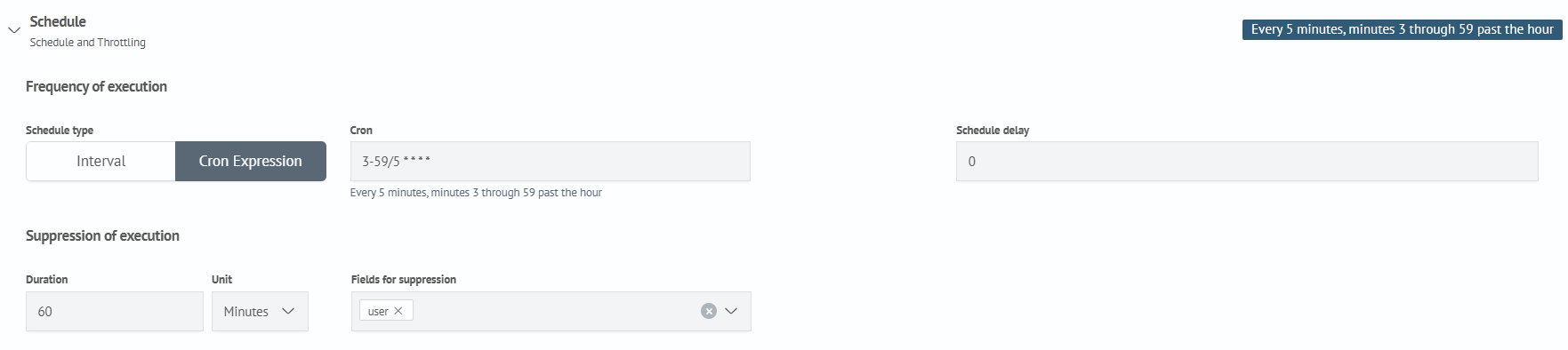
The Schedule section configures the search job's run frequency, offset, and throttling:
Frequency of executionsets the schedule using an interval or a cron expressionSchedule delayshifts a run relative to the scheduled timeSuppression of executioncontrols when repeated search results are passed to active actions
Suppression is disabled in a new job. To configure it, turn on Suppression and select Automatic suppression or Targeted suppression. After creating the first rule, use Add rule to add more rules and exceptions.
Throttling is disabled in a new job. When enabled, automatic suppression prevents repeated results with the same values in selected fields for a specified period. You can also add manual suppressions for specified field values and exclusions that allow matching results to reach active actions.
See Throttling in Job Scheduler for rule types, processing order, expiration, and reset.
The Global Params setting lets you reuse parameters across multiple types of active actions in search jobs.

After you add a global parameter, it is available as a global token. See Using tokens for token syntax and Creating an incident action for an example using a global parameter.