Search Anywhere Framework User Setup
Creating a Search Anywhere Framework User
The function for creating users in Search Anywhere Framework is available through the internal system users interface: Main Menu - Settings - Security - Internal users. To create a new user in the interface, click the Create internal user button:
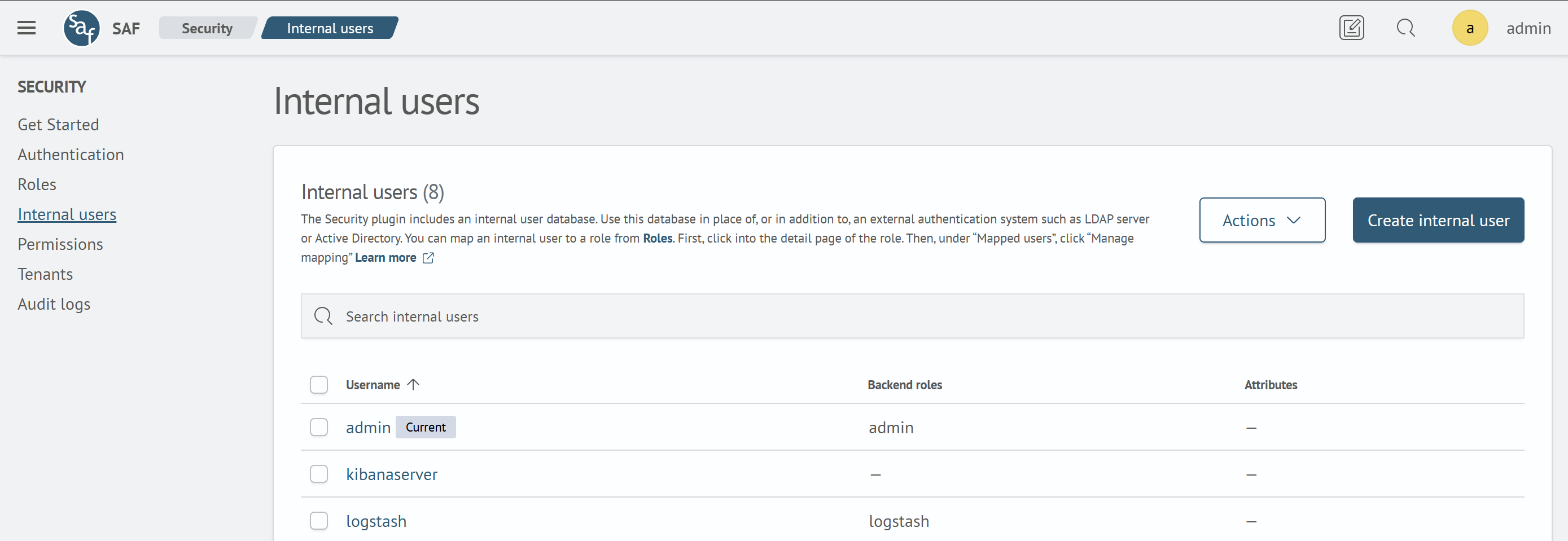
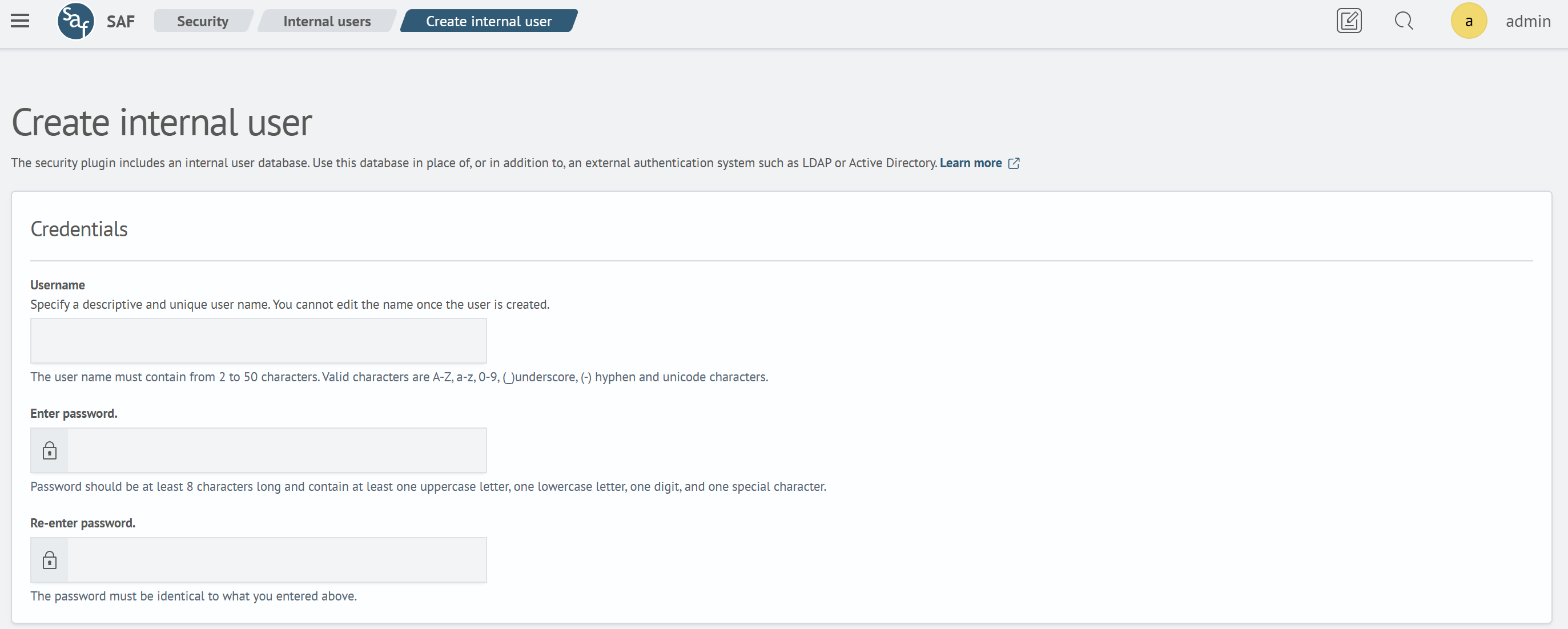
After clicking, you will be redirected to the creation page, where you need to specify the following data:
- Username
- Password and its confirmation
-
Backend roles - used for automated assignment of access roles to any users with the corresponding backend role
-
Attributes, in addition to descriptive purposes, are important parameters for configuring dynamic data security. They can be used as variables in DLS queries, which allows flexible access management based on user characteristics
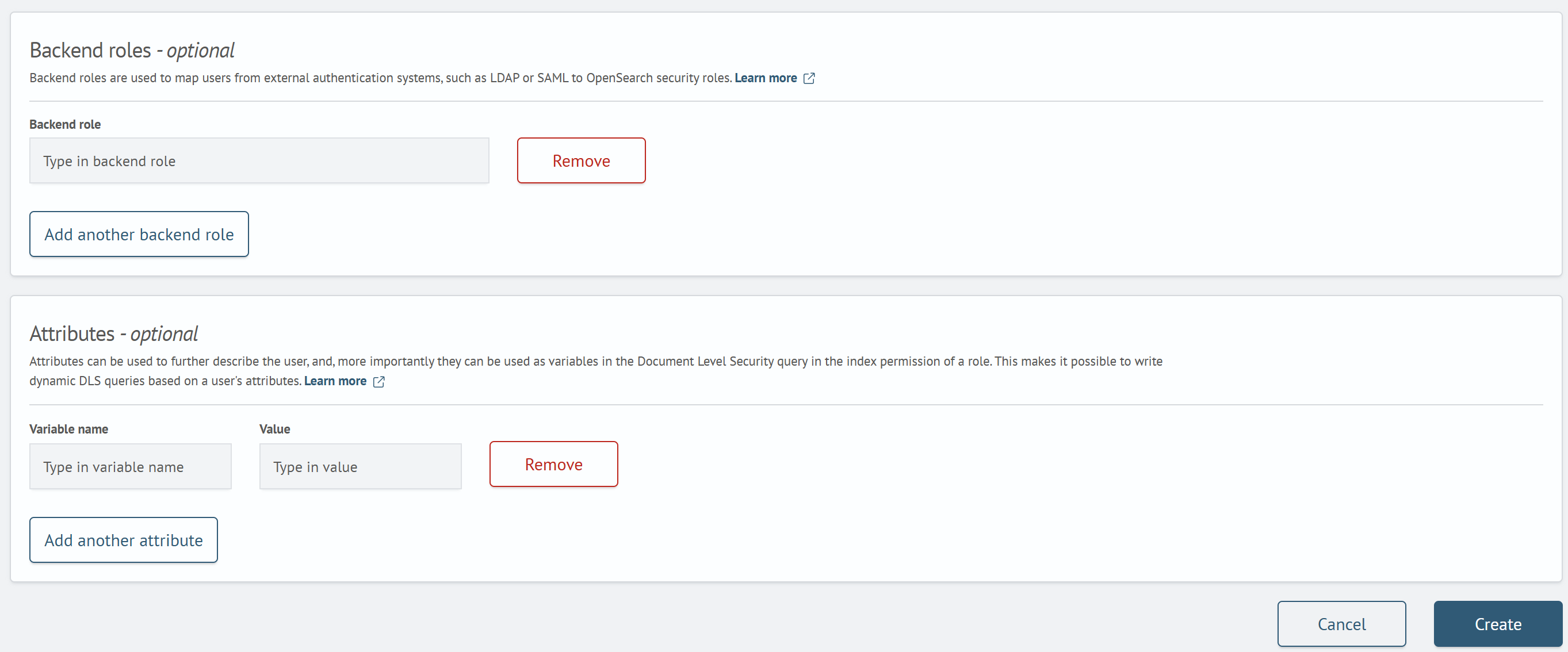
After filling in the data, click the Save button.
Additional Actions on User
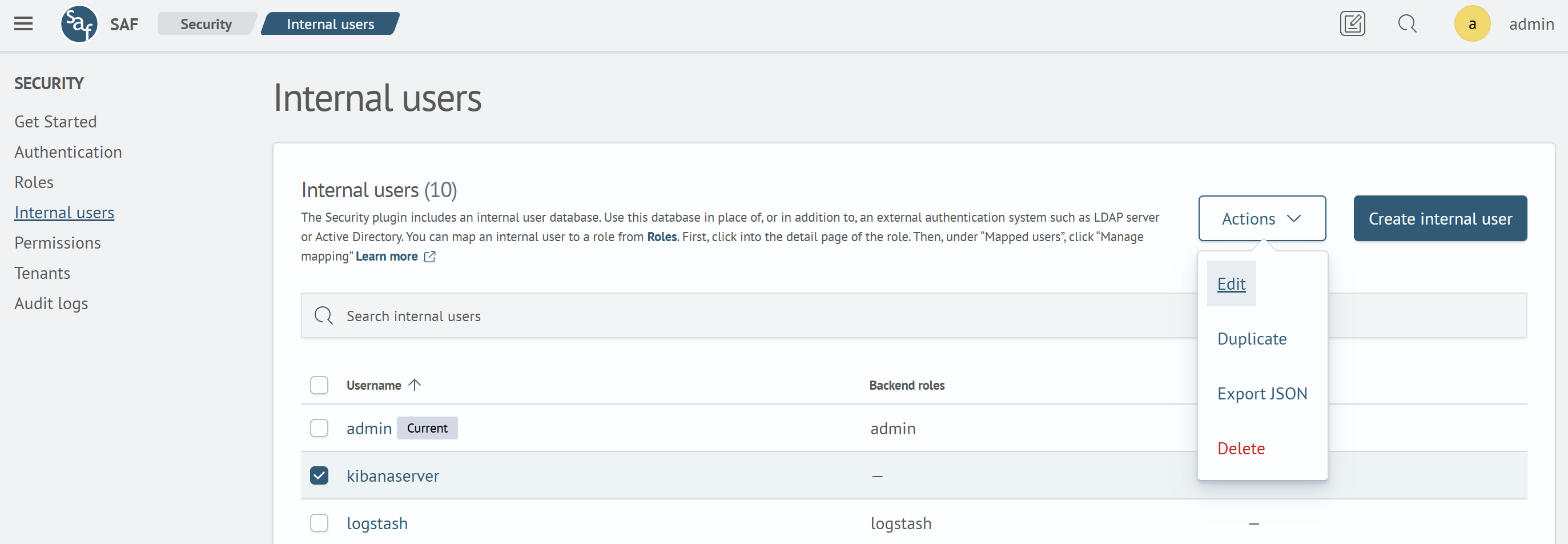
Additional actions on the user include:
- Editing - changing the configuration of an existing user, similar to creating a new one
- Duplication - creates a copy of the user, based on which a new user can be configured
- Export to JSON - allows exporting user settings in JSON document format
- Deletion - allows deleting the user
To perform any of the listed additional actions, you need to select the desired user and click the Actions button, then apply the desired action.
Additional Information
An important step related to user setup is configuring the role model. More details in the corresponding article Role Model Settings.
Search Anywhere Framework documentation also describes examples of setting up external authentication systems - through Kerberos and LDAP.