Policy List
The object profiling list page presents a table containing key information about existing policies.
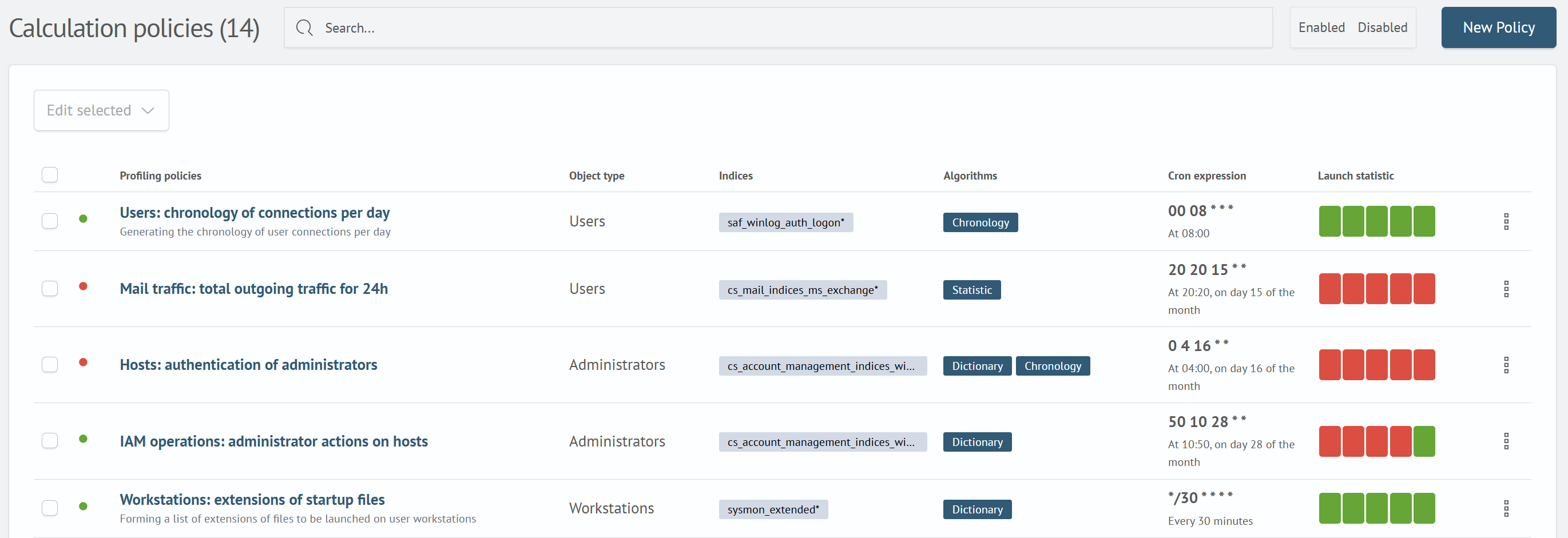
Table Contents
The table contains the following information:
- Name - the name of the profiling policy
- Object Type - the type of objects for which calculations are performed
- Indices - the list of indices or index patterns from which data is sampled for calculations
- Algorithms - the algorithm selected for calculation
- Cron expression - defines the time and frequency for executing calculations
- Launch statistic - statuses of the last five execution runs
Launch statistic
The statuses of the last five runs can be viewed directly in the table, in the corresponding column. The statuses are represented by a series of rectangles of different colors:
- Grey - no run. If a policy has fewer than five runs, empty slots will be displayed in grey
- Blue - calculation is currently in progress
- Green - successful completion of calculations
- Red - calculation ended with an error
- Yellow - calculation completed but has warnings
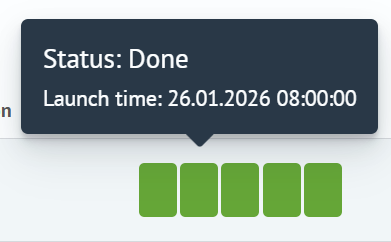
Information about the status and run time can be found by hovering the cursor over the status element.
If a calculation ended with an error, clicking on it will open a window with its description.
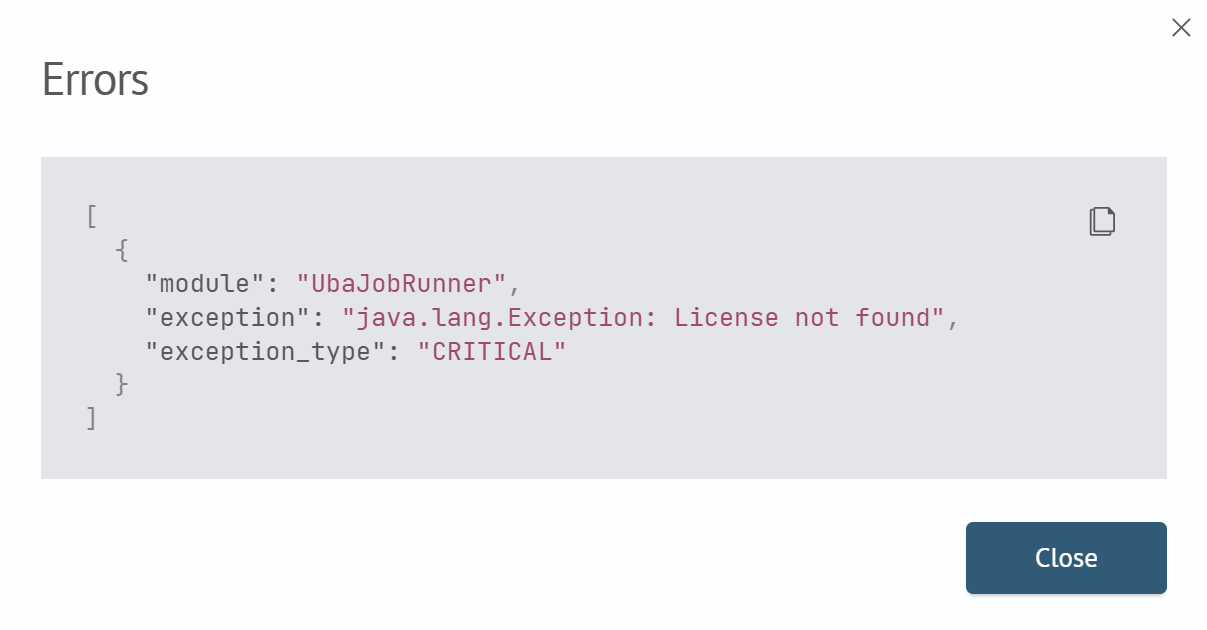
Table Actions
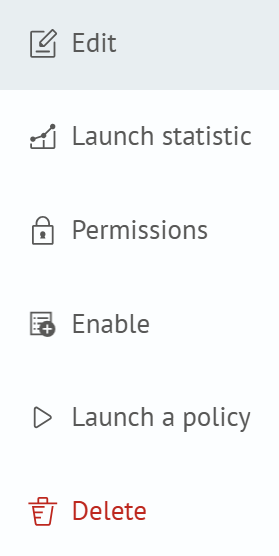
The table offers the following capabilities for working with policies:
- Edit - navigate to the policy configuration page
- Launch statistic - navigate to the page with detailed information about runs and their results
- Permissions - configure permissions for the policy
- Enable/Disable - toggle scheduled run execution
- Launch a policy - manually trigger a one-time calculation run
- Delete - delete the policy
Creating a new policy is done by clicking the New Policy button in the upper right corner of the page.