Priority Matrix
Description
The MITRE ATT&CK Priority Matrix helps assess and visualize which attack techniques may pose the greatest threat to an organization. The selection of priorities can be based on the following factors:
Impact Factor:
- Which assets may be affected?
- What is the potential damage?
Probability Factor:
- How common is this attack method?
- By what means of protection is it detected?
This list can continue depending on how detailed the expert assessment needs to be.
Usage
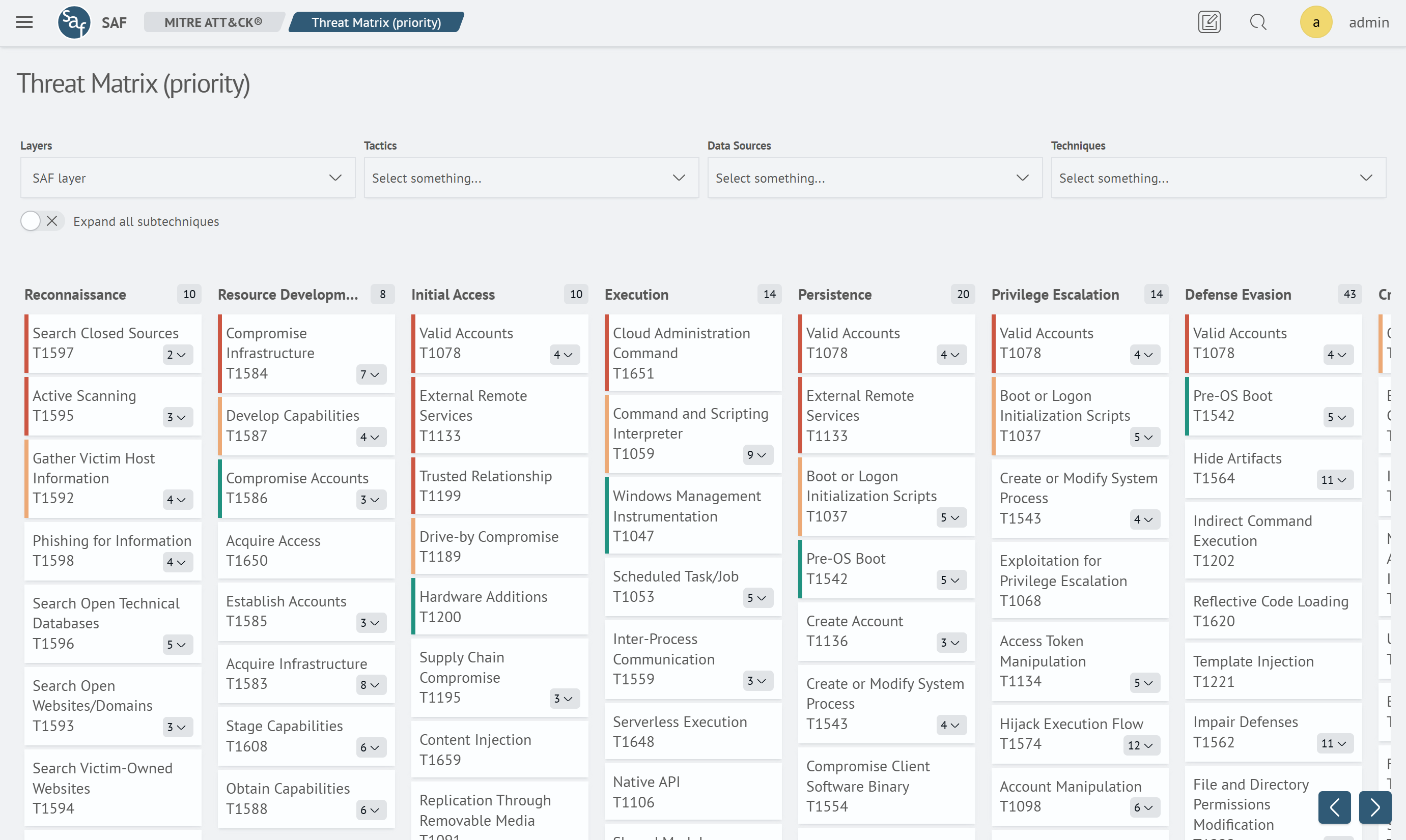
To start using the priority matrix, select the Priority Matrix item in the Main Menu under the MITRE ATT&CK section. The matrix interface looks like this:
Functional Features
Control Panel
- Layer - select the layer in which priority settings are configured. Layers are pre-created through the Layer Editor
- Tactics - select the list of tactics for which settings are required
- Data Sources - select the list of data sources that characterize the area of potential threat occurrence
- Techniques - select the list of necessary techniques for priority settings
- the Expand All Sub-techniques toggle — displays all child elements of a technique
Techniques
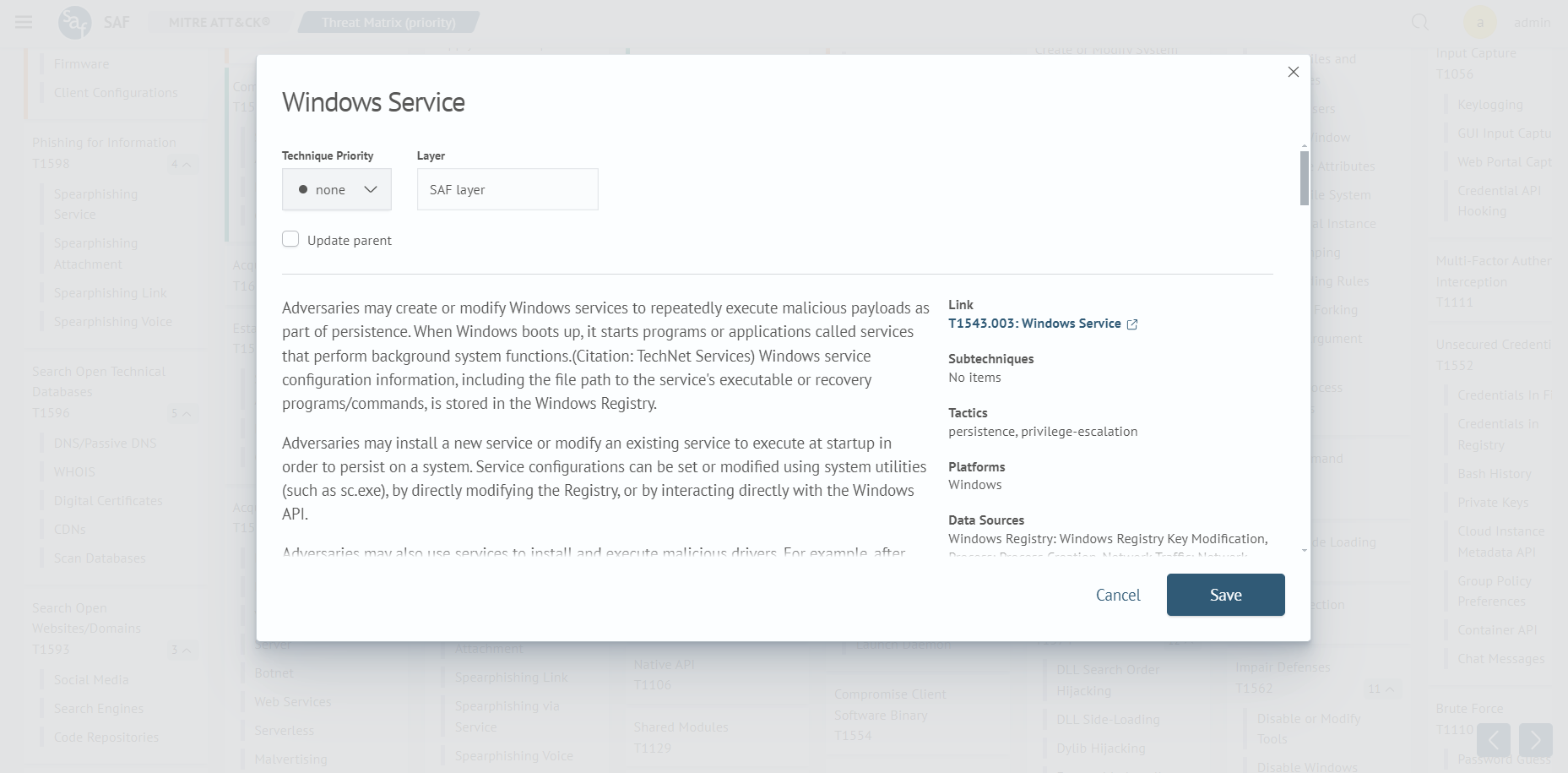
Each technique is interactive. When clicking on a technique of interest to the user, the following window is displayed:
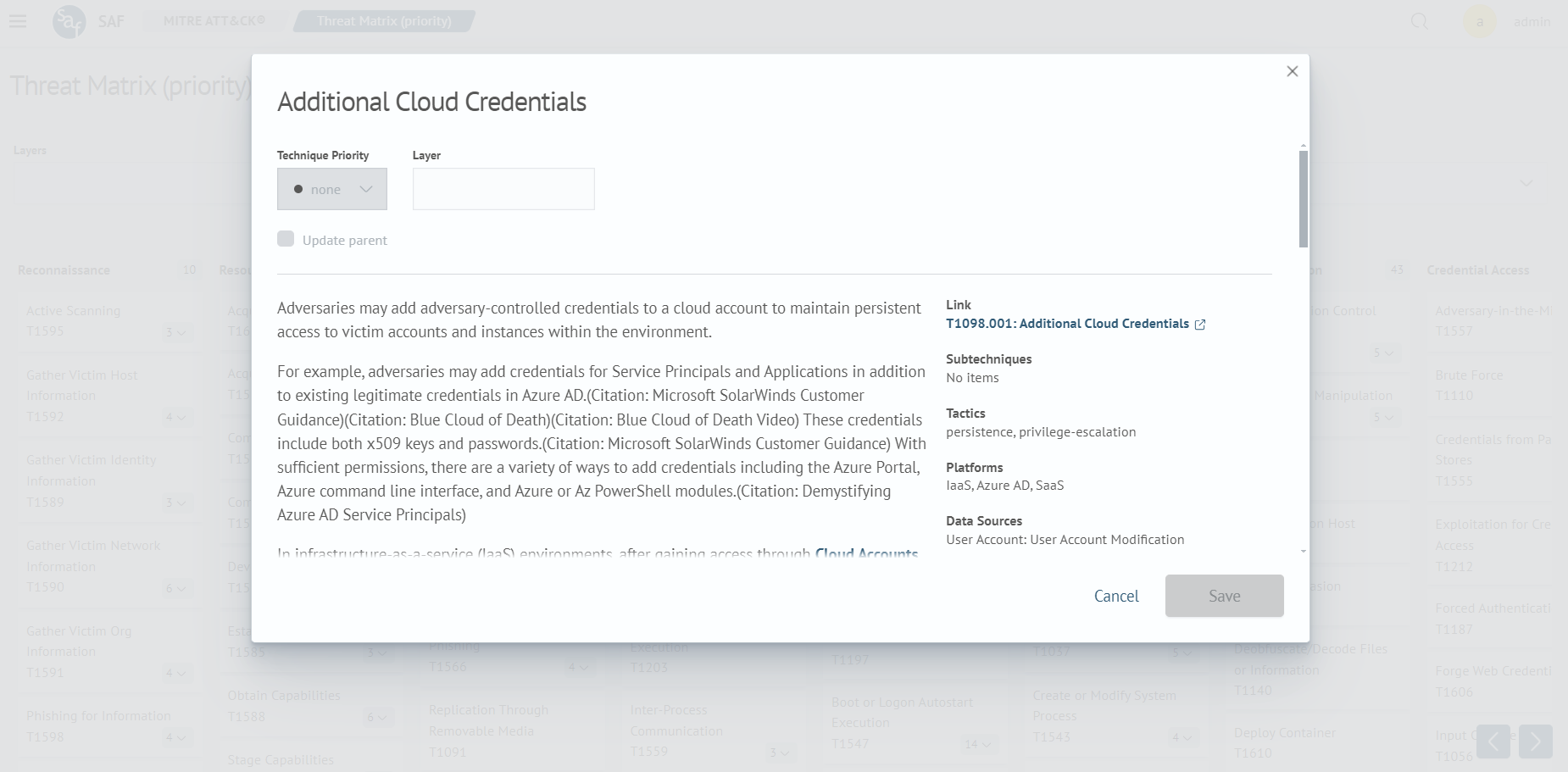
The technique contains:
- a textual description
- a link to the technique
- the scope of the technique
- the priority of the technique
- the layer to which it belongs
If a technique has multiple sub-techniques, they are also interactive.
Filtering
The following types of filtering are available for the priority matrix:
- filtering by tactics
- filtering by data sources
- filtering by techniques
Priority Settings
Priority settings are available in the detailed information view window for a technique. If the priority is changed for a sub-technique, there is an option to update the parent technique using the Update parent option: