Coverage Matrix
Description
The Coverage Matrix for MITRE ATT&CK is used to assess how well the current security system covers relevant techniques and tactics. The Coverage Matrix can be used for the following purposes:
- evaluating the current security level of the organization
- identifying security gaps
- developing recommendations for improving security
Usage
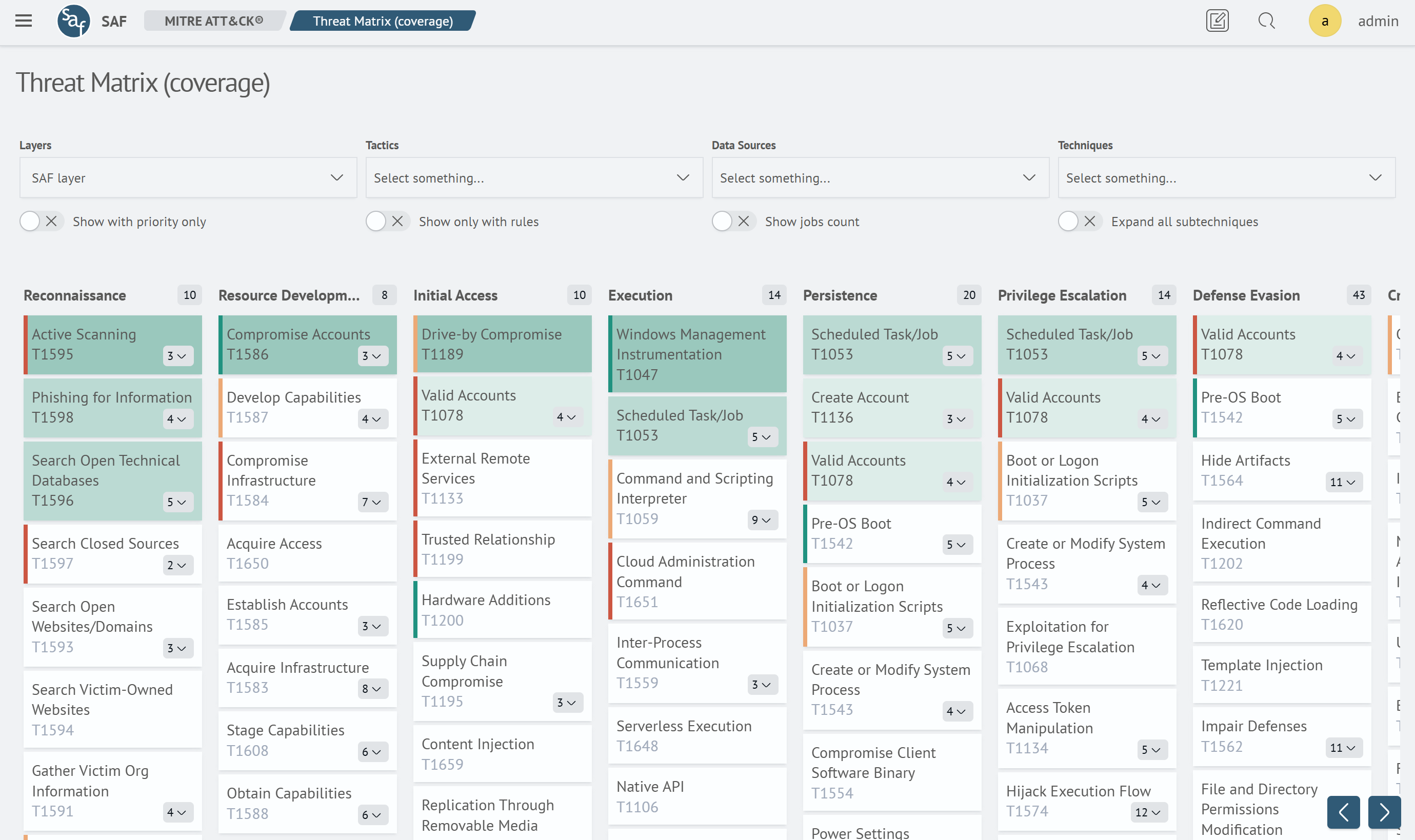
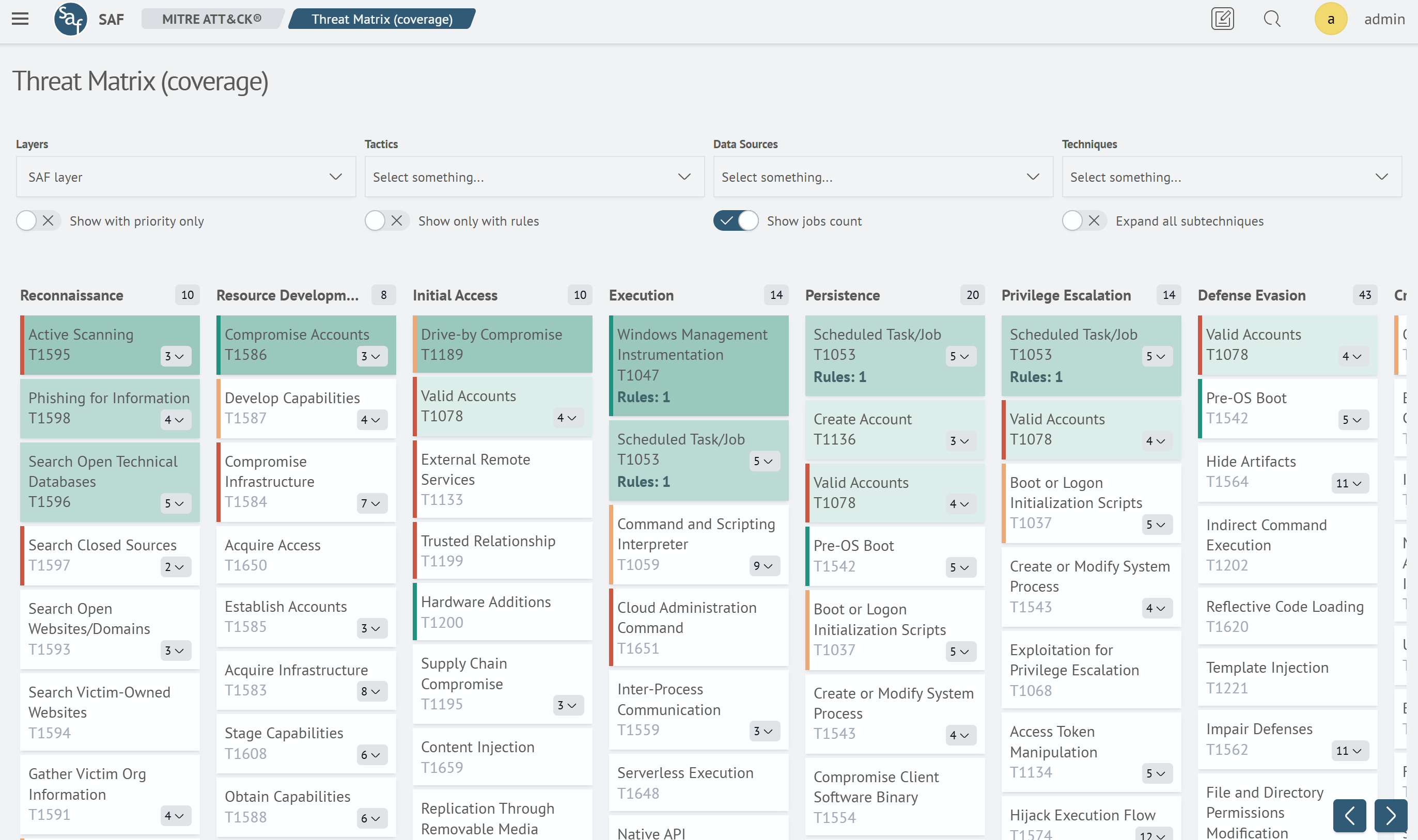
To start using the coverage matrix, select the Coverage Matrix item in the Main Menu under the MITRE ATT&CK section. The matrix interface looks like this:
Functional Features
Control Panel

- Layers - select the layer in which priority settings are configured. Layers are pre-created through the layer editor
- Tactics - select the list of tactics for which settings are required
- Data Sources - select the list of data sources that characterize the area of potential threat occurrence
- Techniques - select the list of necessary techniques for priority settings
- Show with priority only - display only those techniques for which a priority is set in the Priority Matrix
- Show jobs count - display the number of rules covering a given technique
Filtering
Filtering of techniques in the matrix is done similarly to the Priority Matrix.
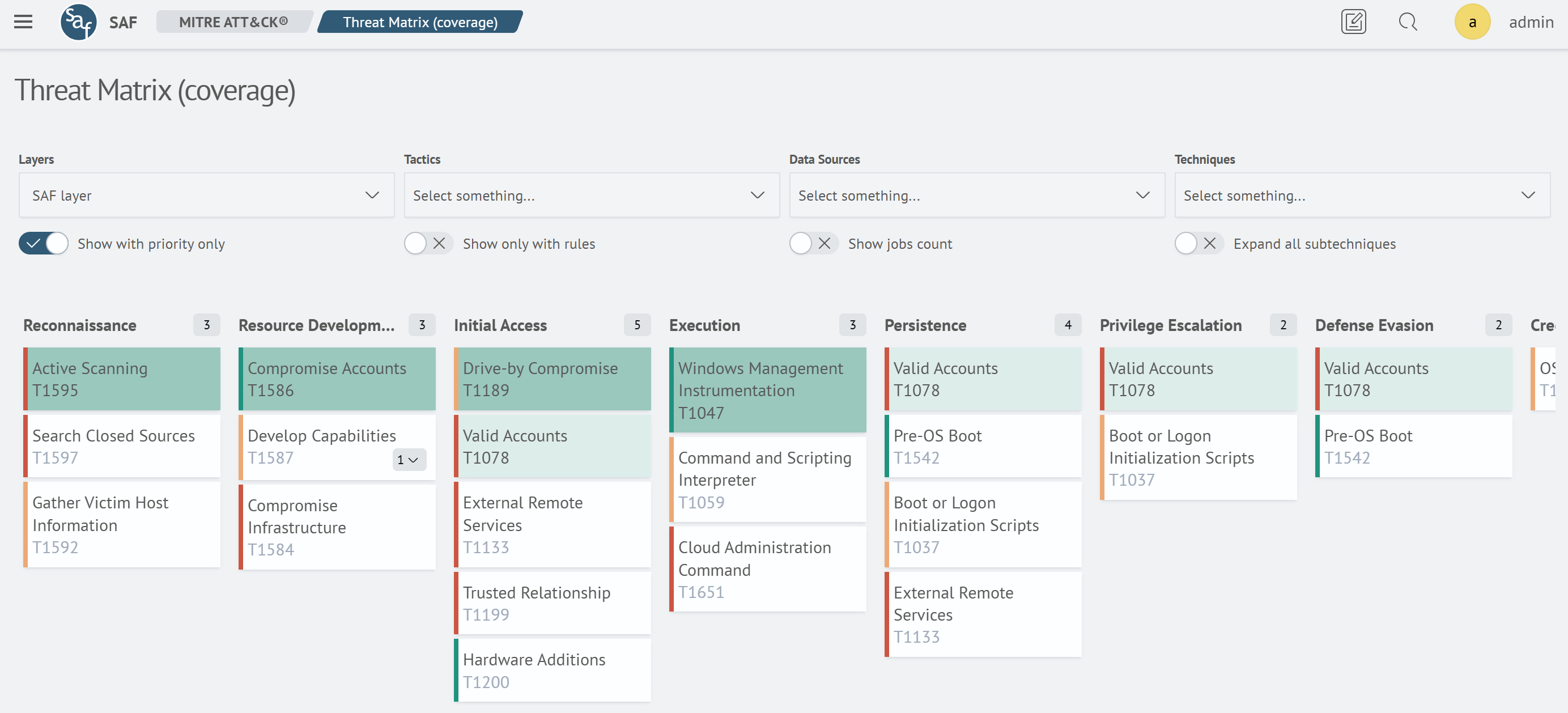
Show with priority only
When this filter is enabled, only tasks that have a defined priority are displayed.
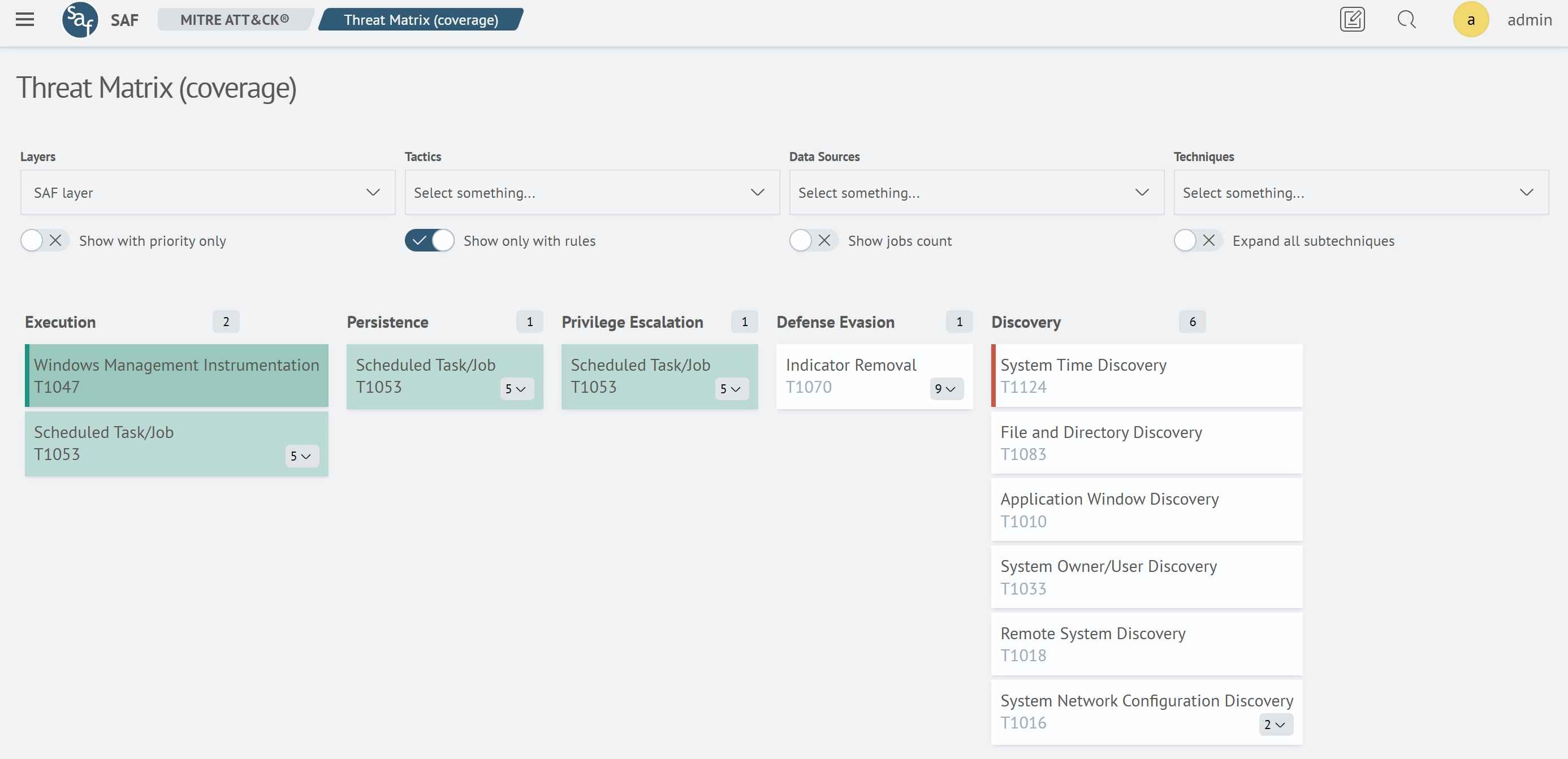
Show Only With Rules
When this filter is enabled, only tasks that have defined rules in the Task Scheduler are displayed.
Show jobs count
When this filter is enabled, the number of rules associated with a technique or sub-technique is displayed.
Coverage Settings
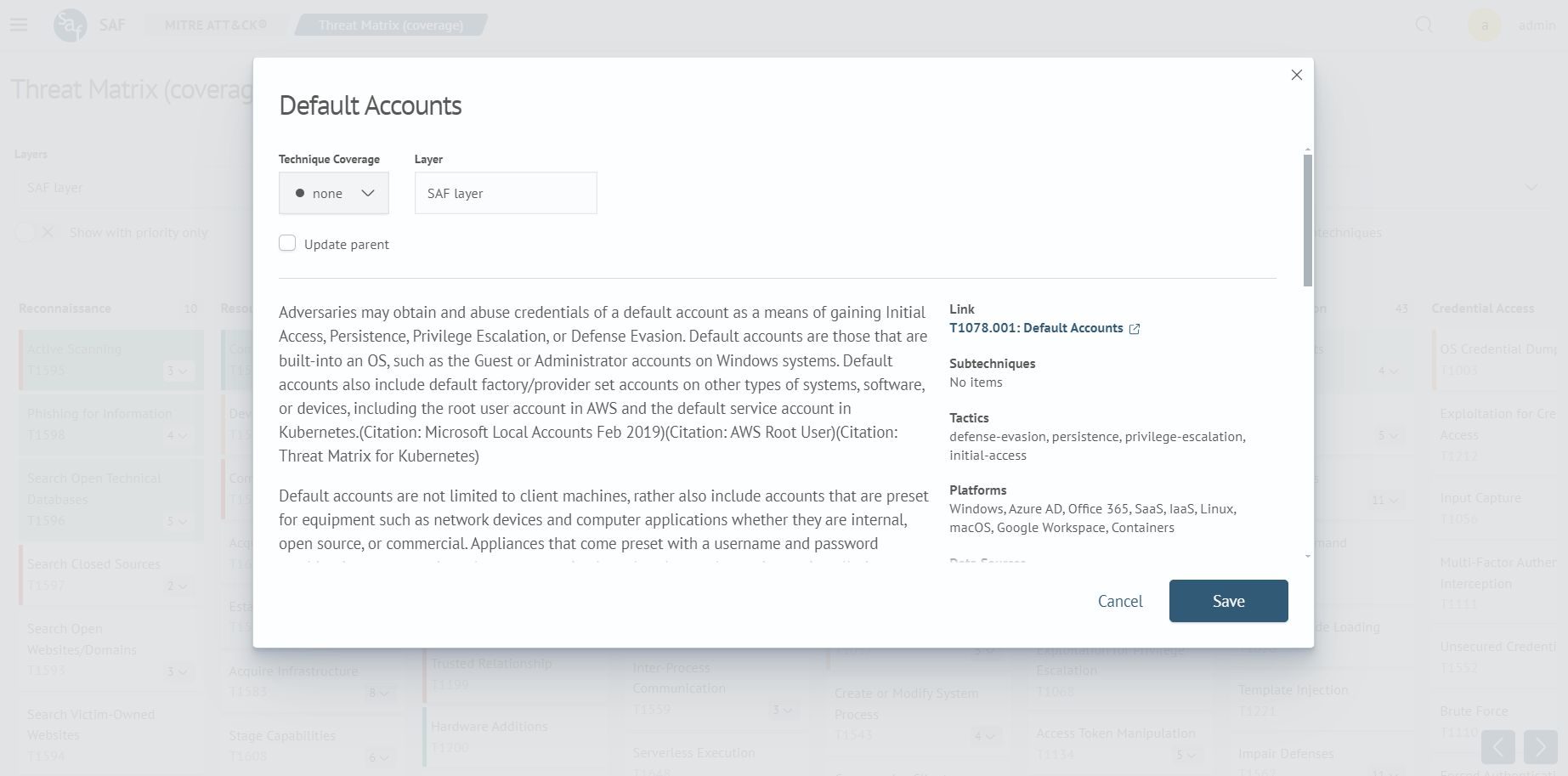
Coverage settings are available in the detailed information view window for a technique. If the coverage level is changed for a sub-technique, there is an option to update the parent technique using the Update parent option: